ClickUp Client Portal vs. Notion: Which Fits Your Client Work?
ClickUp client portal or Notion for client work? Compare shared tasks, guest access, client pages and approval workflows before choosing for your studio.
By Notion Client Portal by Cosmo Suite · Editorial policy
Published · 9 min read
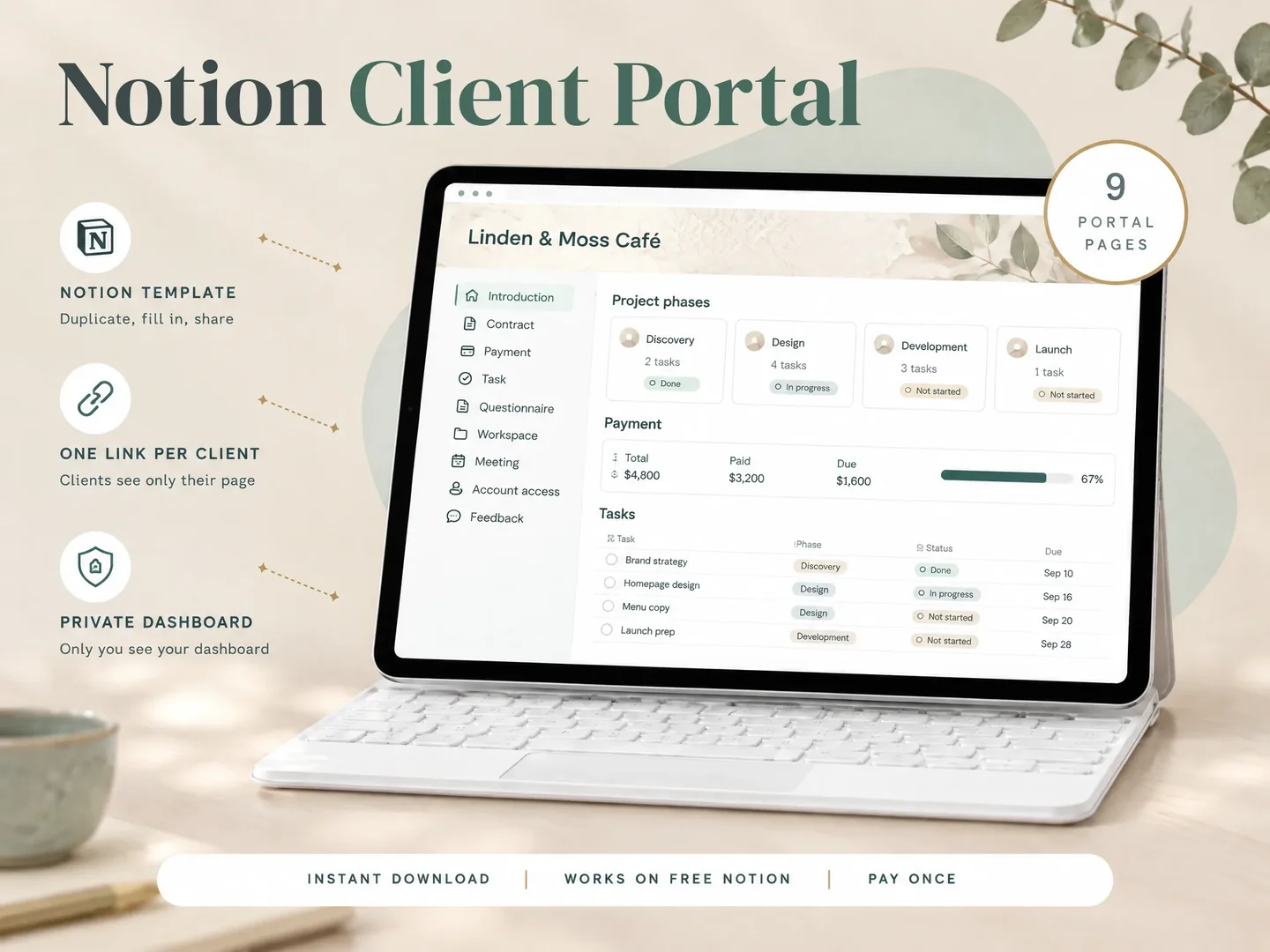
Illustrative client message: Can you send me the latest version? Picture it arriving on Thursday afternoon. The design is in ClickUp, the approval is in email, and the file link is in a chat from last week. Or perhaps everything is in Notion, but the client cannot tell which page to open.
For a clickup client portal, ClickUp gives you shared work items, task states and team views. Notion gives you pages and databases you can arrange around the client's project. A client portal is the shared starting page where a client finds project information and their next action. Choose based on what the client needs to see and do, then test permissions with a client-level account.
In Brief
- Choose ClickUp when clients need to follow tasks and status inside an active project workspace.
- Choose Notion when a small studio wants to present project details, files, meetings and feedback on a page.
- Neither choice removes the need to check access. ClickUp permissions depend on the shared location and role; Notion permissions can carry down from parent pages.
- Keep a separate service for payment collection, signatures or automations if your workflow needs those functions.
The Client Portal Decision Table
The first test is the client's main action: follow active tasks, or find project information and respond to it?
| Client need | ClickUp | Notion | Best for |
|---|---|---|---|
| Track assigned tasks | Tasks, statuses and shared locations | Tasks can be shown in a project database | ClickUp for task-led work |
| Read project context | Docs and shared work areas | Pages arranged around the project | Notion for page-led handoffs |
| Control client access | Guest roles and location permissions | Page sharing, guests and public links | Either, after access testing |
| Record feedback | Comments on shared work items | A feedback page or comments where enabled | Match the feedback route to the deliverable |
| Collect payment or signatures | Use a connected service or separate workflow | Use a separate service | Neither by itself |
Read the table as a workflow comparison. ClickUp’s guest roles and Notion’s sharing controls both vary by setup. Your workspace plan and the exact page or task you share can change what the client can do.
ClickUp Client Portal vs Notion Side by Side
ClickUp organizes work through Spaces, Folders, Lists and tasks. Guests can access the locations and items shared with them. The client sees a ClickUp workspace, with the shared tasks or Docs available through the navigation.
That arrangement is useful when a client has an ongoing role in delivery. They may review milestones, comment on a task or check a status without asking you to translate internal progress into a separate update. The tradeoff is that project activity and navigation remain part of the tool your team uses.
Notion starts with pages. A page can hold instructions, links, a project database view and supporting material. A studio can make one page the client's starting point, then link to the pages they need. A database is a structured collection of pages; a view is one way to display selected items from it. In ClickUp, a task is a trackable work item that can carry an owner, status and related discussion.
Notion can feel more like a prepared handoff when the client mostly reads project context, checks a deliverable or leaves feedback. It still asks you to design the structure and maintain its links. A page does not automatically become a polished portal just because it is shared.
| Decision point | ClickUp | Notion |
|---|---|---|
| Main unit of work | Task and shared location | Page and database |
| Client orientation | Work items in a workspace | A project page you arrange |
| Permission model | Roles plus item and location permissions | Page sharing and inherited permissions |
| Ongoing upkeep | Keep tasks, owners and status current | Keep pages, links and project details current |
| Typical mismatch | Client needs a calm summary, not the full task view | Client needs workflow automation or intensive task controls |
For a small studio juggling several client projects, start from the handoff. If the client asks “what is due next?”, ClickUp may provide the clearer shared task view. If the recurring question is “where is the brief, decision or current file?”, a page-based portal may be easier to arrange around that answer.
A task list and a client page solve different problems
ClickUp’s advantage is the work model. Tasks can be assigned, given statuses and grouped into shared locations. A project manager can keep the delivery process visible where the team already plans the work. Guests can view or interact with the items allowed by their permissions.
ClickUp fits when the client joins weekly work by reviewing tasks, commenting on deliverables or checking what is waiting on them. A short, stable page with only the essentials may be easier to manage in Notion, especially when you want to keep the internal task system out of view.
Notion’s advantage is the page model. A client can land on a welcome page with the brief, current stage, meeting notes and links to relevant files. You decide how to group the information. Databases can help repeat the structure, but access must be set intentionally for the parent page and each linked item.
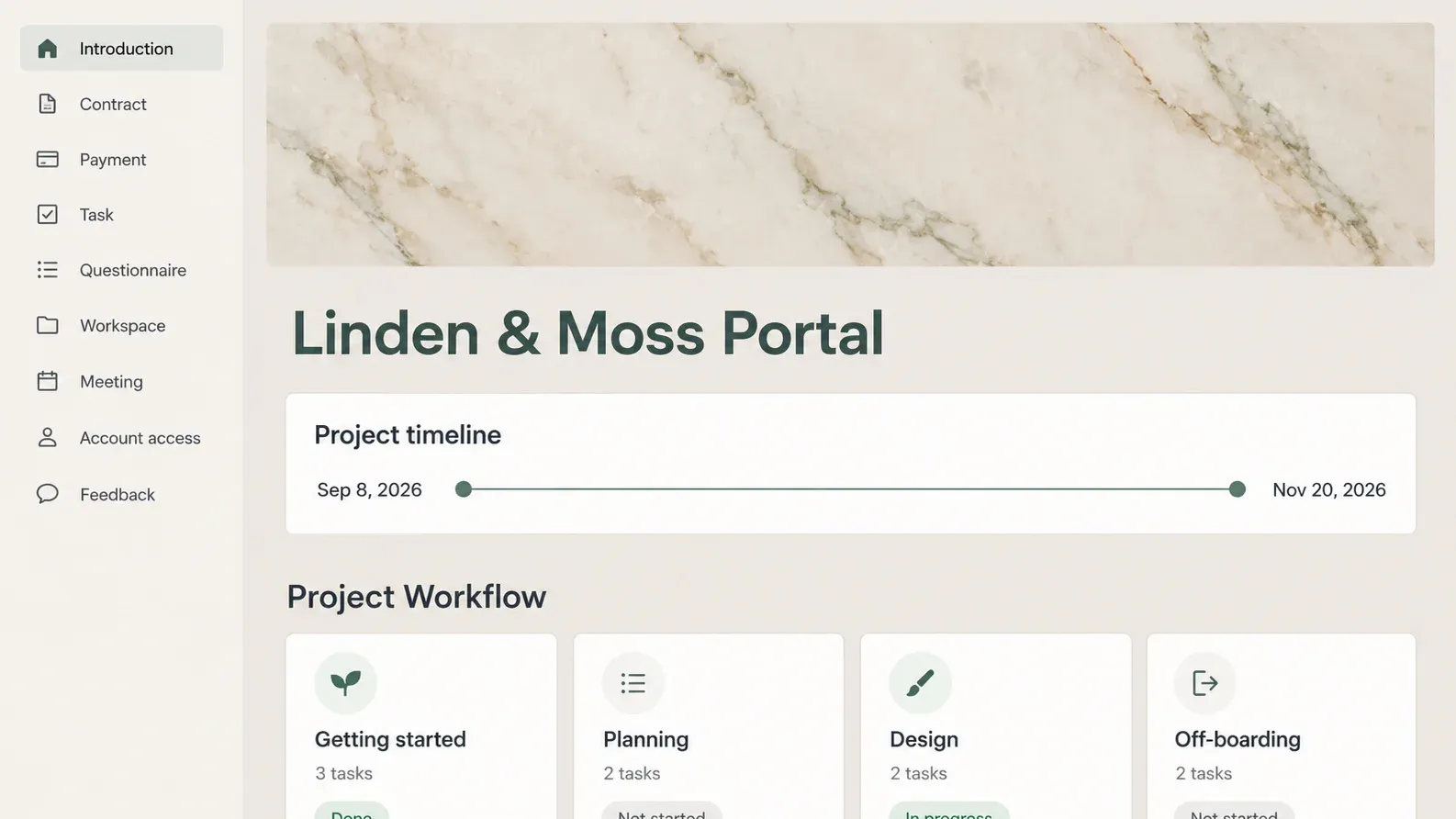
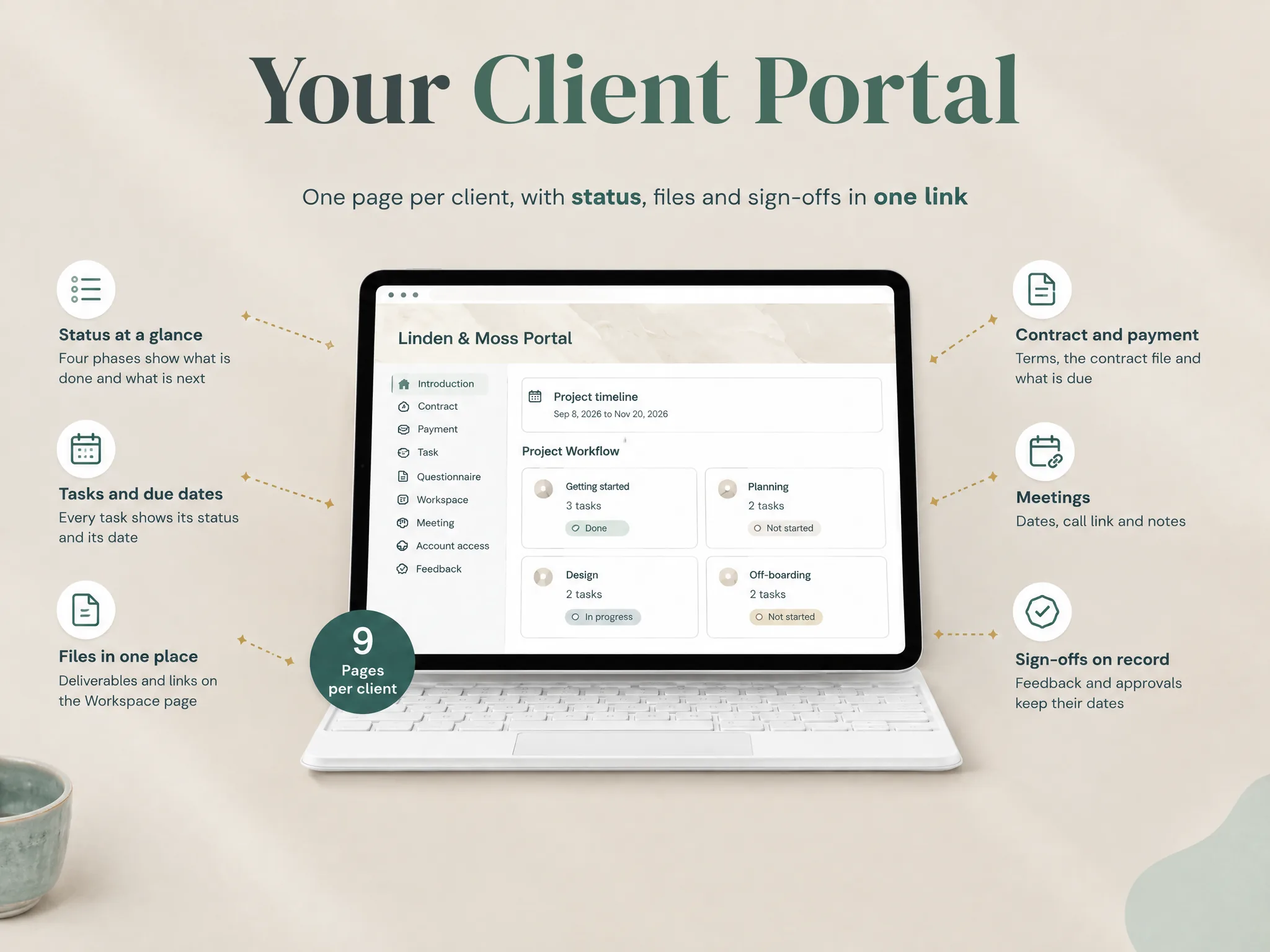
The Notion Client Portal template is one page-based option for that use. Its contents include a client portal with Introduction, Contract, Payment, Task, Questionnaire, Workspace, Meeting, Account access and Feedback pages. These are organizational pages. They do not process a payment, create a binding electronic signature or run an automation.
ClickUp guest access and Notion sharing need a real test
Neither tool gives you a safe client portal by default. In ClickUp, permission behavior depends on the role and the location or item shared. A guest can see shared locations, but permissions may be inherited through the hierarchy. ClickUp also notes that plan and guest-seat rules vary. Its current pricing page lists permission-controlled guests on Unlimited and above, while other guest roles differ by plan. Check the live plan details before budgeting. (ClickUp guest access, ClickUp pricing)
In Notion, invited guests need their own account. Publishing a page for anyone with the link is another option, but it is a public link and should only contain information you are willing to expose to anyone who gets it. Notion says subpages inherit parent permissions, while database-level access has additional plan requirements. Broader access granted elsewhere can override a narrower rule. (Notion sharing and permissions)
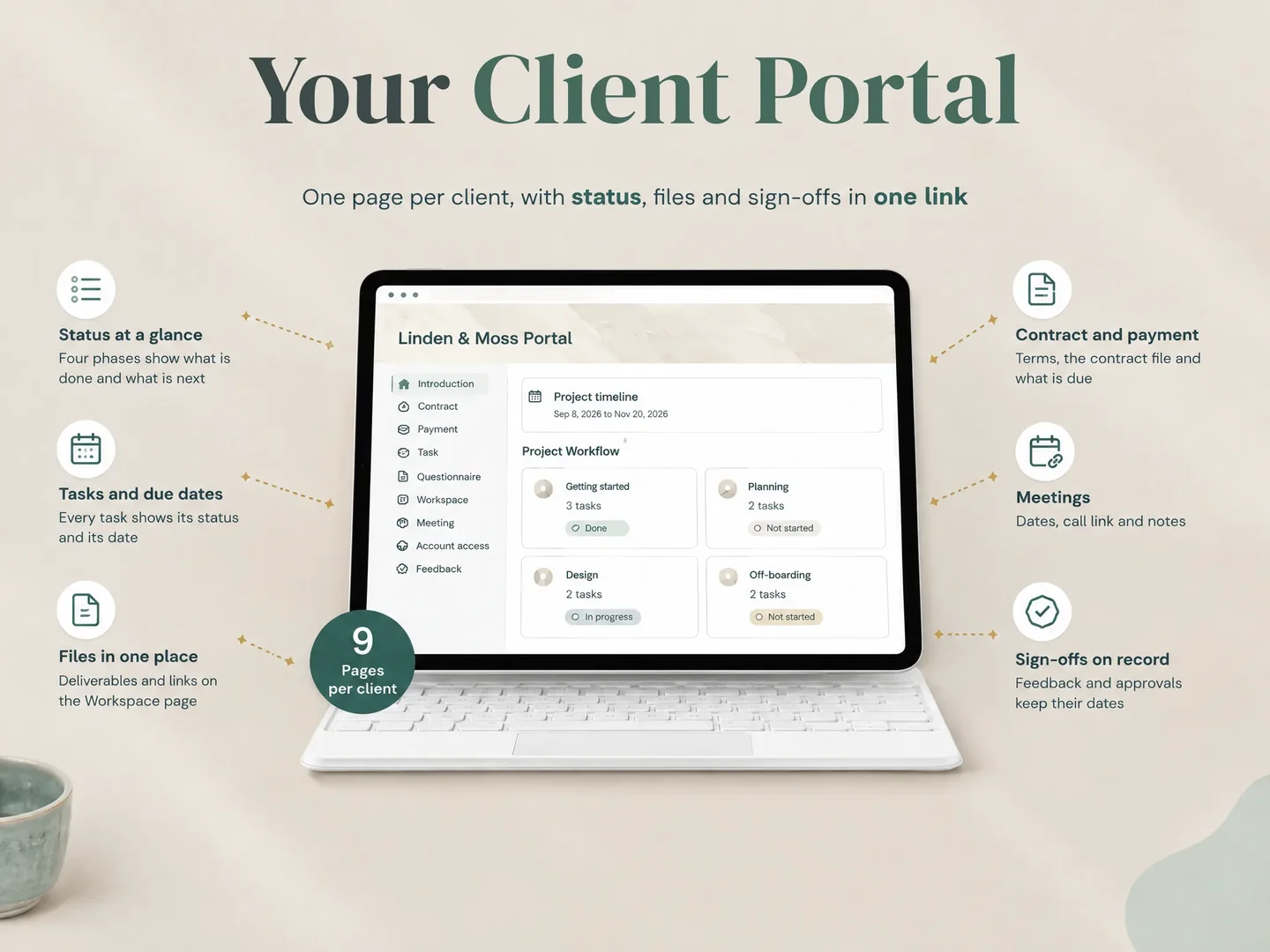
Before you send either kind of link, create a short access test:
- Sign in with an account that has only the client role or guest access.
- Open the main link and follow every link the client will need.
- Check whether another project, internal note or unrelated task appears.
- Try the exact actions you expect: read, comment, upload or edit.
- Remove access and confirm it no longer works when the project ends.
Do not test only while signed in as the workspace owner. That view can hide permission gaps because you already have broad access. Also test a public Notion link in a signed-out browser. A guest test and a public-link test answer different questions.
What the Client Sees in a Notion portal
In a page-based portal, the client should arrive at a page that answers three questions quickly: what is happening, what do I need to do, and where does my response belong? Put the current status and next client action near the top. Keep background material and internal notes out of their path.
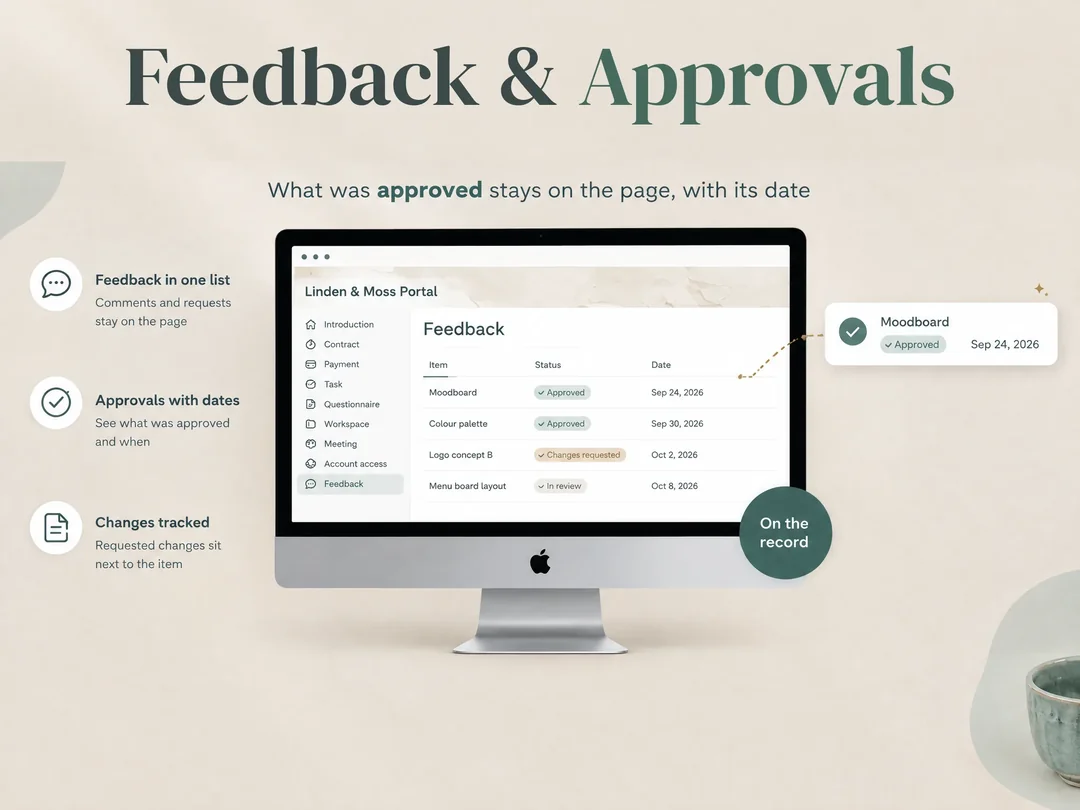
For a copy revision, for example, the client-facing page can link to the draft, state which version needs review and identify the agreed feedback page. The approval itself should have a date and a name. That gives both people a clear record of which version was approved, without pretending that a Notion page is an e-signature service.
ClickUp can also make the next action visible. The client may need to move through a shared List or task to reach the context, so check that navigation with a real client account. A client who checks one deliverable may prefer a prepared project page; a client who collaborates on several tasks may prefer the shared task view.
Permissions are the part most comparisons skip
How you share the work shapes the client experience. Compare the workspace structure and the permissions required for each client action.
In Notion, sharing a parent page can expose its subpages. A linked database view can still point to a source database with its own access behavior. Avoid placing confidential client records in a shared parent, and do not assume that a filter alone separates one client's information from another. Notion explains that access can be inherited and that the broadest granted permission applies. (Notion permission details)
In ClickUp, sharing a Space, Folder, List or task has different consequences. Guests do not have access to Spaces in some configurations, and permissions can be inherited from higher levels. A shared task might be safe in isolation while its parent location exposes more context. Read the ClickUp permissions guide and test the structure you intend to use.
For either tool, use a separate project area when that makes the boundary easier to inspect. Use names and statuses that the client understands. Remove internal fields from client views. Review access when a team member changes or a project closes. A permission model is only useful when someone maintains it.
Keep specialist work in its proper tool
ClickUp and Notion can support project communication, but they do not replace every client-business system. If you need contracts sent for signature, payment collection, booking flows, reminders or automation, keep a service designed for those actions. Tools such as HoneyBook and Dubsado cover more of that client-business workflow; a Notion portal can sit beside them as a project reference.
When comparing a task manager to a portal template, keep their jobs separate. ClickUp gives you task and project controls. A Notion template gives you a ready-made page structure. Check the exact features and plan before treating one as a substitute for the other.
If you are comparing the wider setup, this Dubsado alternatives guide maps options to the work they cover. For an existing HoneyBook account, the HoneyBook pricing breakdown lists the plan and fee details checked on its source date.
Why Trust This Article
The Cosmo Suite team makes the Notion Client Portal template. This comparison uses ClickUp’s official pricing and help pages and Notion’s sharing documentation, checked on 26 October 2026. ClickUp and Notion change plans and permissions, so confirm your workspace settings before inviting a client. See the site’s about page and editorial policy for how the site is maintained.
Where the Notion Client Portal Fits
Use Notion when your studio wants a page-led place for project context, a client task list, meetings and feedback. The Notion Client Portal template groups that work into nine client-facing pages, with additional business hubs and dated planners in the full contents. Start from the Notion Client Portal template contents and decide which pages belong in one client's view.
The combined template is view-only for sharing. The standalone portal is the shareable option. That distinction matters if you want to expose a portal to a client: do not assume every part of a combined setup can be shared in the same way. Check the specific portal version, its permissions and its page links before onboarding a client.
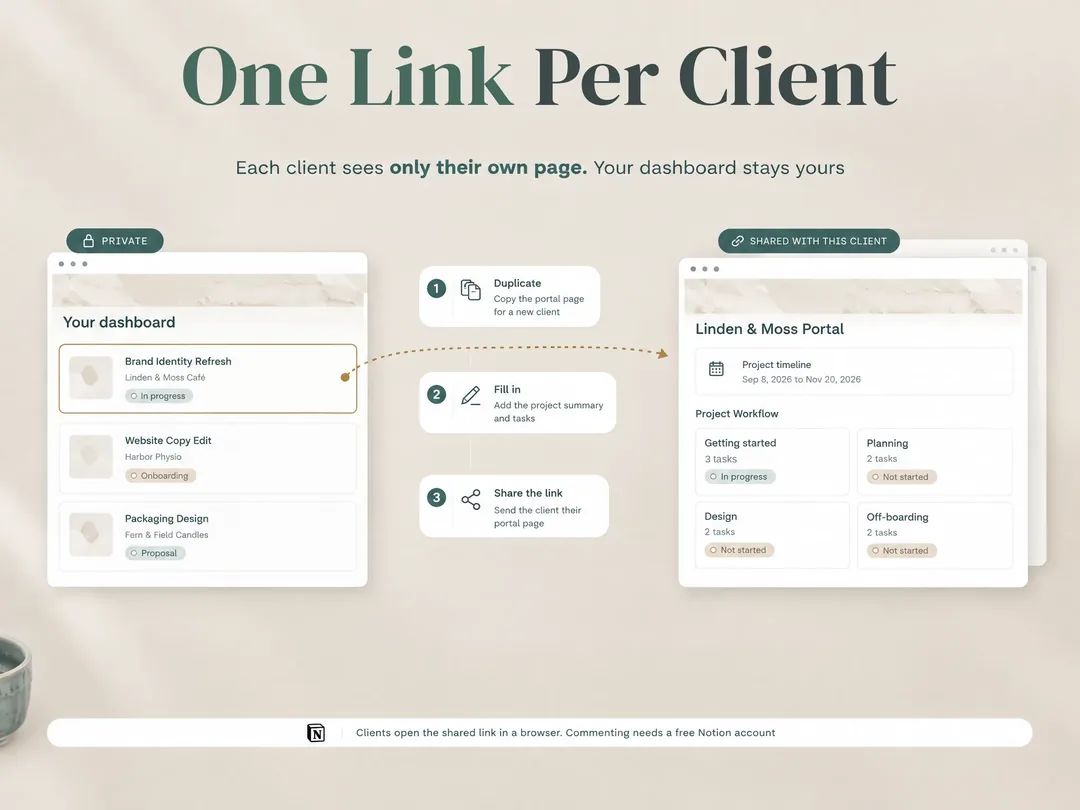
The template supplies structure. You still choose what to share, keep it current and remove access when the work ends. Payment processing, signatures and workflow automation belong in other services. If your current problem is an unstructured handoff, a portal page may help you organize the information. If your team needs to coordinate task execution, ClickUp may remain the better working view.
Frequently Asked Questions
Frequently asked questions
Does ClickUp have a client portal?
ClickUp lets you share work locations and items with guests, including tasks and Docs. That can support a client-facing workflow, though the client works inside ClickUp's workspace interface. Decide whether shared work items are enough or whether you need a page arranged as a client portal.
Is ClickUp or Notion better for client projects?
ClickUp suits teams that manage work through tasks, statuses, views and assignees. Notion suits studios that want to arrange project information as pages and databases. Both can share selected material, and both require careful permission checks.
Can I use Notion as a client portal without a client account?
It depends on the sharing method and what the client needs to do. A page published for anyone with its link can be viewed without being a workspace member, while invited guests need a Notion account. Commenting or editing has separate access requirements. Test the exact pages and actions before sending a link.
Can ClickUp guests see all my client projects?
Guests only access locations and items shared with them, but inherited permissions and workspace setup matter. Check each guest role, shared Space, Folder, List and task. Test with a guest account that represents the access your client will receive.
Can a Notion template replace ClickUp for client work?
A template can give you a repeatable client-facing page structure for status, tasks, files, meetings and feedback. It does not provide ClickUp's task management features, and it does not process payments, create signatures or automate your client workflow. Keep the tool that handles those jobs.
Sources
Keep reading
Client Portal
Notion Client Portal: How to Build One That Clients Will Use (and Where It Breaks)
notion client portal setup in 5 steps: organise client pages, choose sharing permissions and test access, with a worked example for clear project updates.
· 11 min read
Client Portal
Dubsado Alternatives: Choose by the Work You Need Covered
Compare Dubsado alternatives for client onboarding, billing, project delivery and client portals. See which jobs a Notion template can and cannot cover.
· 8 min read
Client Portal
HoneyBook Pricing in 2026: Plans, Fees and Annual Cost
HoneyBook pricing: compare U.S. Starter, Essentials and Premium costs, annual totals and payment fees. See what each plan adds before you choose.
· 7 min read
