Notion Client Portal: How to Build One That Clients Will Use (and Where It Breaks)
notion client portal setup in 5 steps: organise client pages, choose sharing permissions and test access, with a worked example for clear project updates.
By Notion Client Portal by Cosmo Suite · Editorial policy
Published · 11 min read
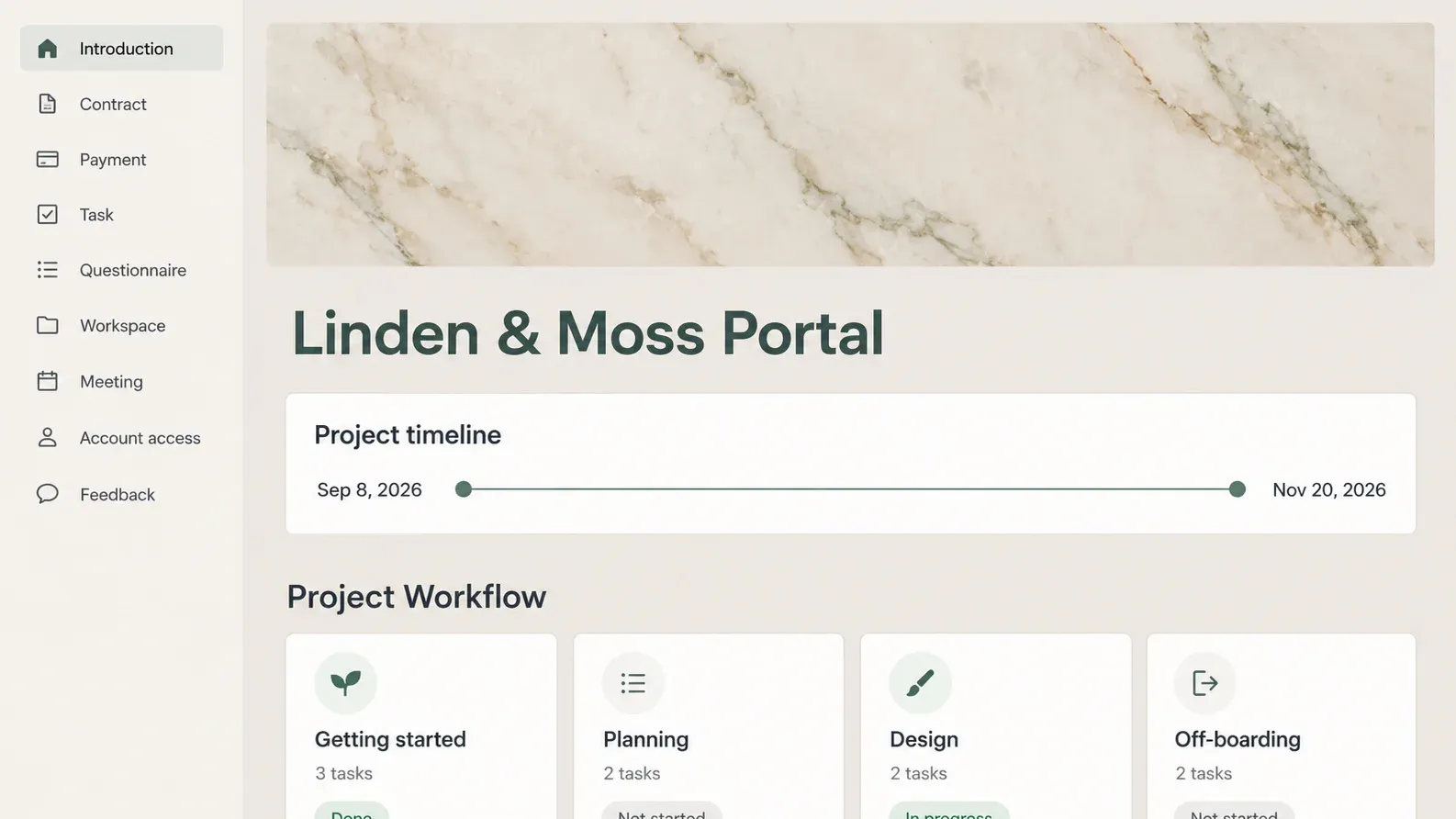
Your client asks where the project stands. You track status in a task list and send files by email, while the client returns feedback as a screenshot. A Notion client portal gives that client one place to find the current work and the next action.
For a freelancer or small studio, start with one client page containing tasks, files and feedback. Choose how that client will access it before adding private material. This guide walks through five setup steps, a sample project update and the sharing checks that matter when you work with more than one client.
Key Takeaways
- Give each client a clear project page with a current status and a named next action.
- Choose invited access for private material; use a public link only for content you intend to expose.
- Check guest permissions and public exposure separately before sending the portal.
What Is a Notion Client Portal?
A Notion client portal is a page, or a set of pages, that you share with a client to organise their project work. It can hold a task list, links to deliverables, meeting notes and a feedback route. You maintain the content and decide what the client can access.
Keep the business tools that handle transactions and signatures. A page headed Payment can show an invoice link or payment status, but that page alone does not process a payment. A Contract page can hold an agreed document without being an electronic signature service. Decide what stays in your existing tools before building duplicate records.
The Notion Client Portal at a Glance
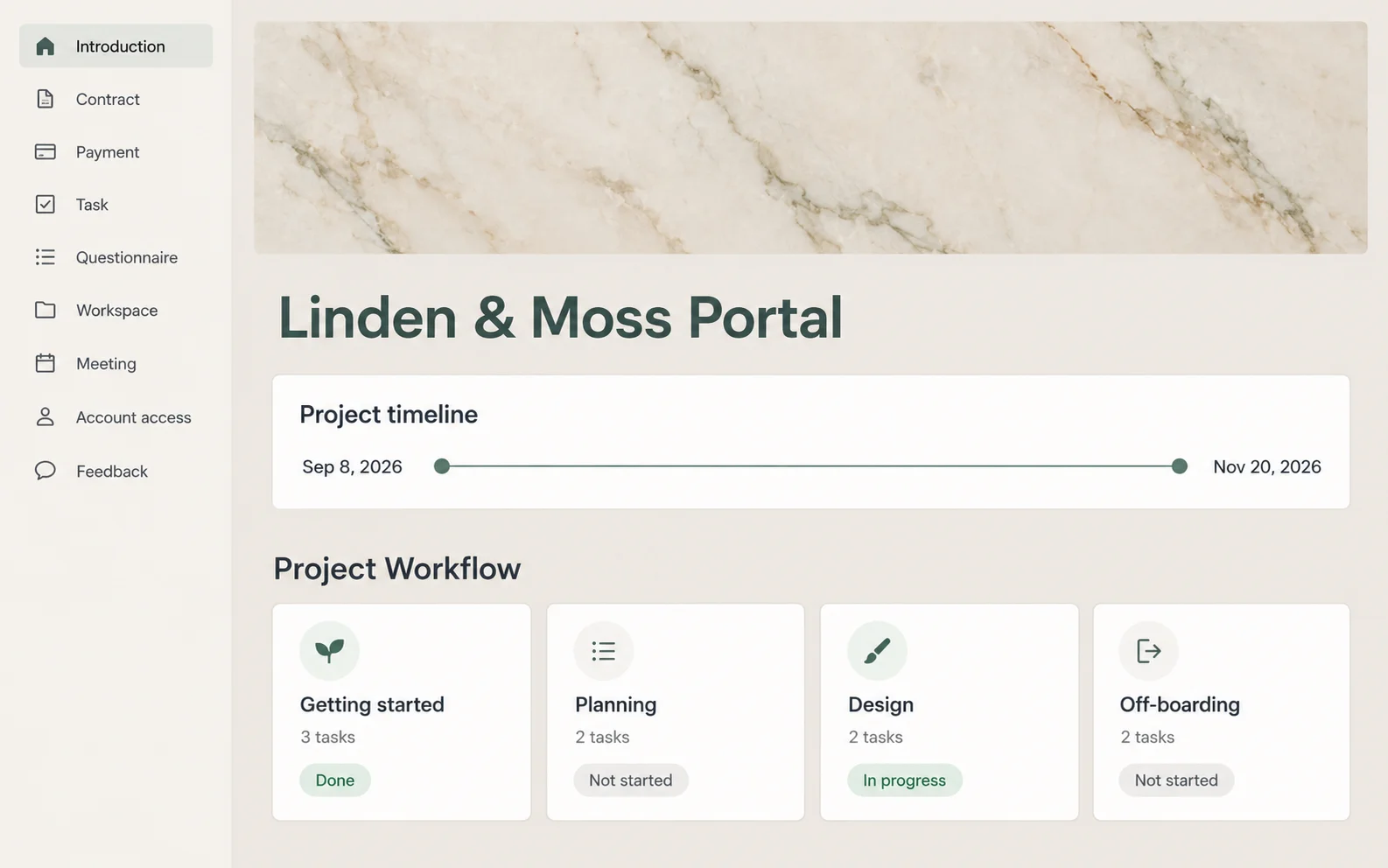
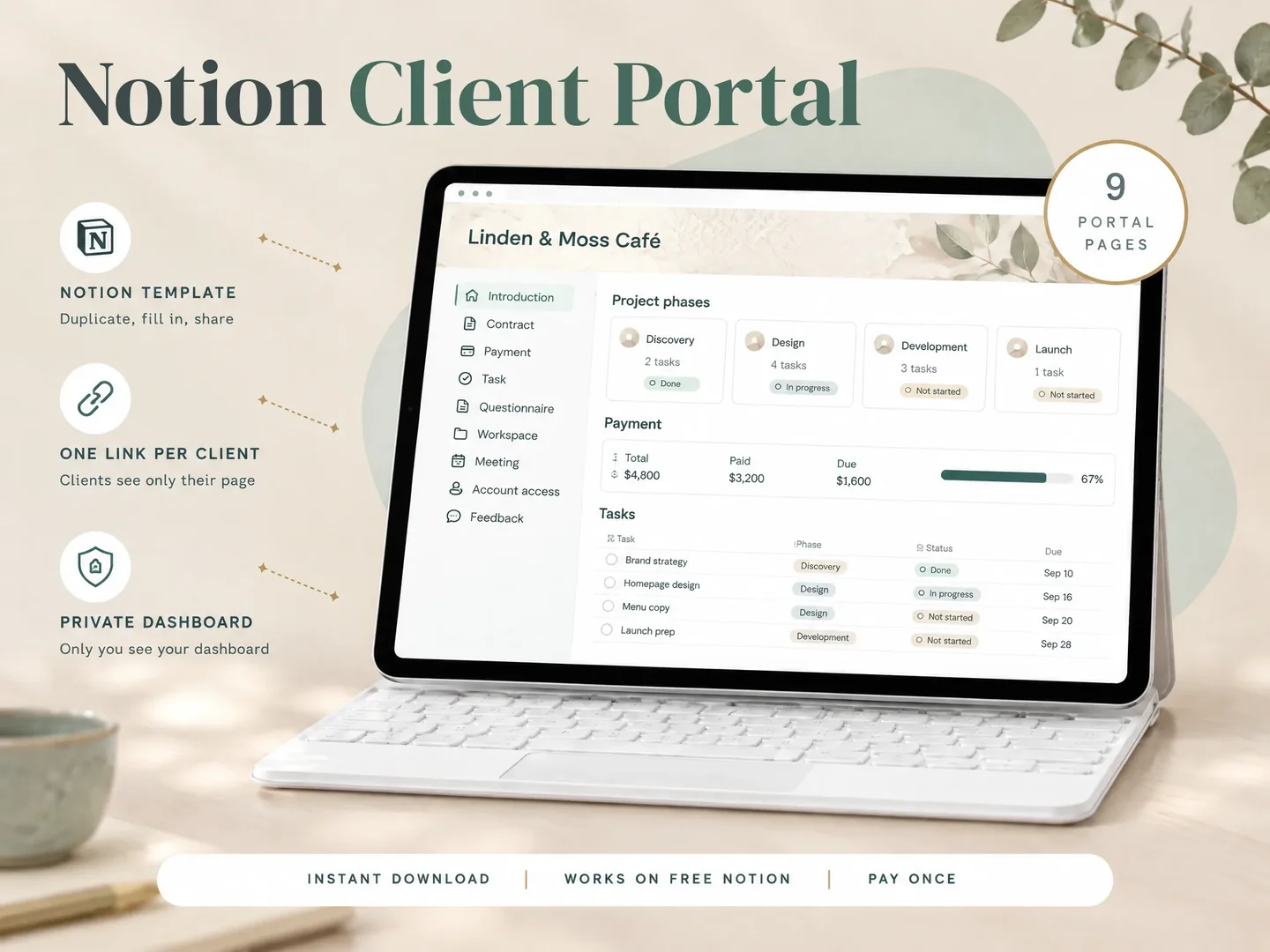
Start with the sections your client needs to act on the project; the nine pages below are options, not a requirement for every job.
| Page | What to include | Best for |
|---|---|---|
| Introduction | Scope, contact route and how to use the portal | A new client |
| Contract | Link to the agreed document and its location | Checking the scope |
| Payment | Invoice links and the status you maintain | Finding billing information |
| Task | Deliverable, status, owner and next action | Following progress |
| Questionnaire | Project questions and missing inputs | Onboarding |
| Workspace | Current files and useful links | Finding the latest version |
| Meeting | Notes and agreed next actions | Following up after a call |
| Account access | Access requests and who grants them | Tracking handover |
| Feedback | Review instructions and decisions | Managing revisions |
Keep passwords out of the portal. In Account access, list the tool, the access needed and who should grant it. Store actual passwords in a password manager. CISA’s password tip sheet describes password managers as tools that create, store and fill passwords. Keep the portal focused on access requests and who grants them. For example, a website project can list "Website editor access: client to invite freelancer" without putting the password in the page.
If arranging these pages is holding up your setup, a ready-made client portal page structure gives you a starting layout. Remove unused sections before sharing it. An empty page gives the client another place to check without an answer.
How to Build a Notion Client Portal in 5 Steps
Build one complete portal for a single project, then repeat the structure once its content and access checks work.
Step 1: Make one page per client
Create a client-facing page and keep your internal business dashboard separate. Add only that client's project information. For this simple setup, keep client-specific tasks and files inside their own portal; avoid a shared master database until you understand how its permissions work.
If you start from a publicly shared template, duplicate it into your own workspace. Check the copy for sample names, old file links and references to other clients before you populate it.
Best for: a freelancer who wants a simple access structure.
Step 2: Add the status view first
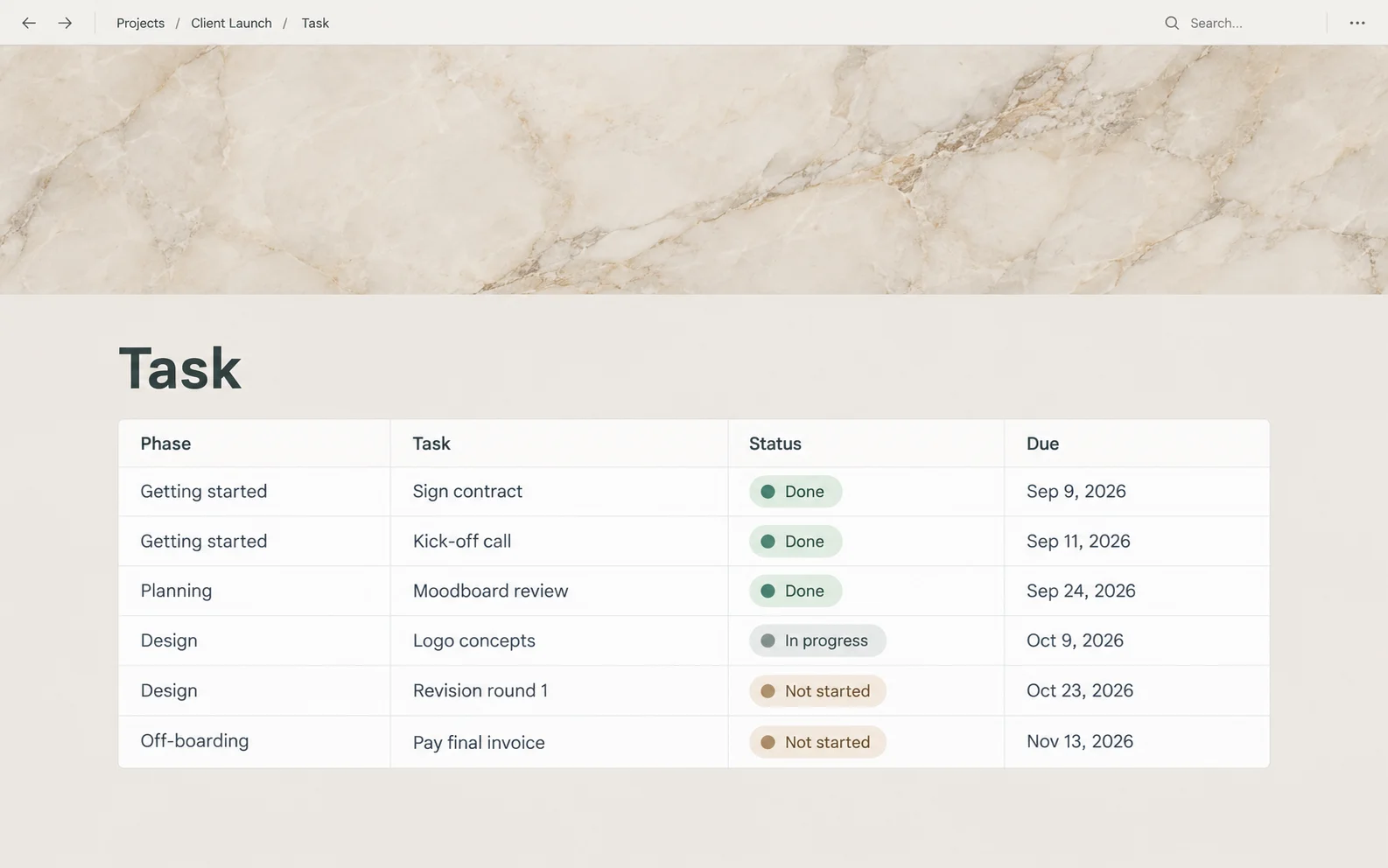
Use a small task list with a deliverable, status, responsible person and next action. A status alone leaves room for doubt. "In progress" does not say whether you are writing the draft or waiting for the client to send source material.
Here is a hypothetical design-project example. These entries illustrate a method; they are not customer results or a test of the template.
| Deliverable | Status | Action owner | Next action |
|---|---|---|---|
| Homepage draft | Ready for review | Client | Leave one set of comments on the linked draft |
| Brand assets | Waiting on client | Client | Send the approved logo file |
| Revised layout | Not started | Freelancer | Begin after draft feedback is agreed |
Set a clear completion rule for each item. For the homepage draft, that might be "Client confirms the layout is approved in the feedback page." Keep the latest draft link beside that request so the client reviews the right version.
Best for: projects where a handoff blocks the next task.
Step 3: Give feedback a home
Choose where the client should leave comments and where you will record the decision. Add the deliverable name, the version being reviewed, the request and the decision date. Ask for feedback in that location when sending the update.
A recorded decision lets you check what was agreed later. It does not, by itself, establish a legally valid signature or settle a dispute. Use your agreed approval process and retain the relevant records.
Best for: work with revisions and explicit approvals.
Step 4: Put files and the questionnaire in one place
Add links to the current deliverables and ask only for inputs you need to begin. Separate reference material from the file under review. Give files useful names so a client can tell which version to open.
File links have their own permissions. Open each link with the intended client identity; access to the Notion page does not prove that a linked document will open. Avoid copying sensitive documents into a public portal for convenience.
Best for: onboarding that depends on client inputs.
Step 5: Share it, then test it
Open Share on the client's page and choose the intended access. Use an invited guest for information you want restricted to named people. Start with view access for reading or comment access for feedback, then grant additional access only where the workflow needs it.
Use this method to check the copy you will share. These are recommended checks, not a report of a test run on this template.
- Invite a guest who has no owner or workspace-wide privileges. Open the page as that guest.
- Open the current file, find the next action and try the agreed feedback route. Check linked file access in its own service too.
- Try an unrelated client page using a known test link. The guest should not gain access. If it opens, stop sharing and inspect the grants.
- Open the portal in a signed-out private window. For an invite-only portal, check that its content does not appear.
- Record the page tested, the guest identity, the result and the date. Repeat after moving pages or changing access.
The guest check tests invited access; the signed-out check tests public exposure. Neither check alone proves the entire workspace is isolated.
Best for: each new portal and every later access change.
Where a Notion Client Portal Breaks
A portal can fail when the access method does not match the content or the client's intended actions.
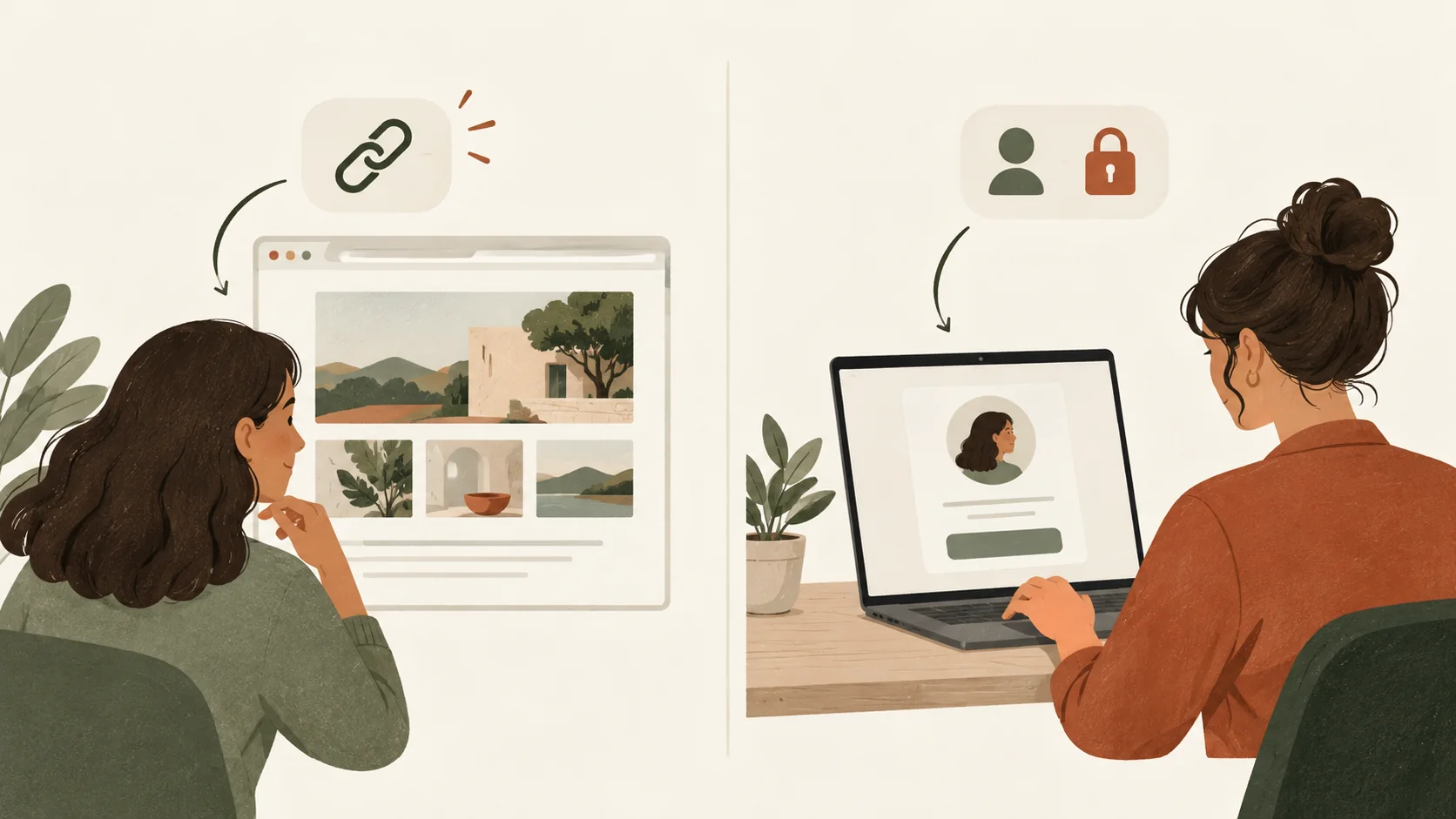
Notion's sharing and permissions guide says invited guests need accounts. Its public-link option allows reading without an account; commenting and editing still require login. Page-level database rules are available on Business and Enterprise plans. Broader grants can override a restriction. Check who has access before relying on an assigned-client view.
A filtered view is not proof that other records are inaccessible. Notion's database guide explains that users with Can edit content can create linked databases and change filters in those linked views. For the simple separate-page approach, keep each client's records separate. For a shared database, configure and test access rules rather than relying on the view shown in the portal.
Public pages need a different check. Notion's public publishing guide warns about subpage exposure and contributor details in webpage metadata. Keep private client work out of public pages. Disabling search indexing does not turn a public link into invited access.
Three terms help when you inspect the setup. Guest access means you invite an outside person to selected pages. Public access means the link can expose the page to people you did not name. Database page-level access means rules decide which records a person can open. A portal is the layout clients see; those settings decide what else they can reach.
For example, if a client can read their homepage draft but cannot comment, check whether you granted view access. If the page opens but the linked file does not, check that file’s own sharing settings. If another client’s record opens, review the parent page, source database and any broader grants before changing the view’s filter.
What Actually Makes Clients Use the Portal
Give the client a specific reason to open the page: a review request, a missing input or a change to the next milestone.
Choose an update routine you can keep up with. When work changes, update the task and its next action, then send the client the relevant link. Tell them what you need: "Please review the homepage draft and leave comments in Feedback." Do not send a link and expect them to find the request unaided.
If feedback arrives through email, record the decision in the agreed place and confirm it with the client. Keep that record consistent with the original message. When a project closes, review who still needs access and check the shared files too.
A template with client tasks and feedback pages can help you keep the same structure for new projects. You still need someone to maintain the status, respond to comments and remove outdated links.
Notion Portal or Dedicated Software?
Choose from the actions your business needs to complete, including who will maintain them.
A Notion portal suits a project where you want a readable status page and are comfortable updating it. You can keep invoice and signature links alongside project work while their original services handle those transactions.
If you need a single system to collect payments, request signatures or automate reminders, compare dedicated client platforms against those requirements. Check each platform's own documentation before choosing it. Try taking one typical project from onboarding to closure and note each step you still do by hand.
Why Trust This Article
Notion Client Portal by Cosmo Suite publishes this article and sells the template discussed here. About us explains the business behind the site. Our editorial policy describes how we source and maintain articles; contact us if you find a wrong instruction.
For this guide, we compared Notion’s published access rules with the actions a client needs to take: read a page, leave feedback and open a file. The method keeps public exposure, invited access and file permissions separate. Platform facts were fact-checked against the official docs on 13 October 2026.
The design-project example is hypothetical. It is not a customer case study or a measured time-saving claim. We have not run a live access test on the delivered template. Check your copy before sharing private client work.
Where Notion Client Portal Fits
Notion Client Portal provides a page structure for freelancers who want a business dashboard and separate client-facing project pages.
The contents include five hubs and a nine-page client portal: Introduction, Contract, Payment, Task, Questionnaire, Workspace, Meeting, Account access and Feedback. It also includes per-project portals and dated planners for 2026 and 2027. See the client portal template's contents to compare that structure with the project you want to run.
Use the standalone client portal for client-facing work, and keep your internal dashboard private. Page layout does not guarantee access isolation. Before sharing a populated copy, inspect its permissions and linked databases with the same checks described above. The Payment section organises billing information; it is not a payment processor.
Frequently Asked Questions
Can a client open a Notion client portal without a Notion account?
Yes, for a page you deliberately make accessible to anyone with its link. Email-invited guests need a Notion account, and commenting also needs login. Choose access based on the content you plan to share. A public link is unsuitable for material that must stay within a named client team.
Is a Notion client portal free?
Notion’s current plans include a Free plan, but a free workspace and a purchased template are separate costs. Check the current guest and file-upload allowances before choosing a plan. If you reach a guest limit, review access needs and plan options. Do not make confidential pages public to avoid that limit.
Can one client see another client’s pages?
They can if you grant broader access than intended. Separate client pages are a useful starting point, but you still need to review parent permissions, database access and shared links. Test with a guest identity that has only the intended access. A signed-out browser check answers a different question: what is public?
How long does it take to set up a client portal in Notion?
It depends on how many projects you have, where their files are and how you plan to share them. This guide has no measured setup-time estimate. Treat the portal as ready when a client can find the current deliverable, identify their next action and use the agreed feedback route, and the access checks pass.
Can clients upload files and leave feedback in the same portal?
Yes, if the relevant pages and tools grant the access needed for each action. Comment access lets a guest leave comments but does not let them edit page content. Start with a restricted feedback page, then decide where file submission belongs. Test both actions with the intended guest before sending onboarding instructions.
Is a Notion client portal still worth using in 2026?
Yes, when you want a maintained project page and are comfortable managing its permissions. Assess fit from your workflow, not the year. If collecting payments or obtaining signatures is essential, keep the appropriate service alongside the portal or choose a client platform that covers those needs. Notion pages alone do not provide those services.
What is the fastest way to get a working Notion client portal?
Start with a page structure that matches your project, then remove sections you do not need. A template can reduce layout decisions, but it does not remove access checks or the need to maintain updates. Populate one client portal first and confirm the client can use it before repeating the setup.
Frequently asked questions
Can a client open a Notion client portal without a Notion account?
Yes, for a page you deliberately make accessible to anyone with its link. Email-invited guests need a Notion account, and commenting also needs login. Choose access based on the content you plan to share. A public link is unsuitable for material that must stay within a named client team.
Is a Notion client portal free?
Notion has a Free plan, but a free workspace and a purchased template are separate costs. Check the current guest and file-upload allowances before choosing a plan. If you reach a guest limit, review access needs and plan options. Do not make confidential pages public to avoid that limit.
Can one client see another client’s pages?
They can if you grant broader access than intended. Separate client pages are a useful starting point, but you still need to review parent permissions, database access and shared links. Test with a guest identity that has only the intended access. A signed-out browser check answers a different question: what is public?
How long does it take to set up a client portal in Notion?
It depends on how many projects you have, where their files are and how you plan to share them. This guide has no measured setup-time estimate. Treat the portal as ready when a client can find the current deliverable, identify their next action and use the agreed feedback route, and the access checks pass.
Can clients upload files and leave feedback in the same portal?
Yes, if the relevant pages and tools grant the access needed for each action. Comment access lets a guest leave comments but does not let them edit page content. Start with a restricted feedback page, then decide where file submission belongs. Test both actions with the intended guest before sending onboarding instructions.
Is a Notion client portal still worth using in 2026?
Yes, when you want a maintained project page and are comfortable managing its permissions. Assess fit from your workflow, not the year. If collecting payments or obtaining signatures is essential, keep the appropriate service alongside the portal or choose a client platform that covers those needs. Notion pages alone do not provide those services.
What is the fastest way to get a working Notion client portal?
Start with a page structure that matches your project, then remove sections you do not need. A template can reduce layout decisions, but it does not remove access checks or the need to maintain updates. Populate one client portal first and confirm the client can use it before repeating the setup.
Sources
Keep reading
Client Portal
How to Share a Notion Page Without a Client Account
Share a Notion page without a client account by using a public view-only link. Learn when to invite a guest instead and what to check before you send it.
· 8 min read
Client Portal
Client Portal Template: What to Include Before You Share It
Client portal template planning starts with client actions and the pages they need. Choose sections, set access and test a sample project before you share it.
· 8 min read
Client Portal
ClickUp Client Portal vs. Notion: Which Fits Your Client Work?
ClickUp client portal or Notion for client work? Compare shared tasks, guest access, client pages and approval workflows before choosing for your studio.
· 9 min read
