Dubsado Alternatives: Choose by the Work You Need Covered
Compare Dubsado alternatives for client onboarding, billing, project delivery and client portals. See which jobs a Notion template can and cannot cover.
By Notion Client Portal by Cosmo Suite · Editorial policy
Published · 8 min read
“What’s the status on this?” Imagine that message arriving on Friday afternoon while the task list, latest file and approval sit in three different places. That is an annoying gap. It does not automatically mean Dubsado is the wrong tool.
A Dubsado alternative should replace the parts of Dubsado you use. For one studio, that means forms, proposals, contracts and payment schedules. For another, the main need is a clear place for clients to check project status and leave feedback. Those are different jobs, so the best fit depends on the work you need covered.
A client portal is a shared place where a client can find project information. A workflow is the sequence of steps that moves a client from enquiry through delivery. Some tools handle both. Others handle one part well and leave the rest to your existing process.
In Brief
- Choose HoneyBook or Bonsai when you want a broader client-business workflow with proposals, contracts and billing.
- Choose ClickUp when the main need is team task delivery and controlled guest access.
- Consider a Notion client portal template when you need a flexible client-facing project reference, and already handle signatures, payments and reminders elsewhere.
- Before switching, map every form, contract, payment, automation and client record you rely on.
Why studios look for Dubsado alternatives
A switch usually starts with friction: a feature you need sits on a higher plan, the setup feels heavier than the current client load, or the work has moved into another tool. Sometimes the issue is the opposite: the studio needs stronger client automation and has outgrown a simpler setup.
Dubsado combines client portals with forms, invoices and payment plans on both plans. Its current pricing page lists Starter at $335 per year and Premier at $525 per year. The page also places automated workflows, scheduling, public proposals, Zapier and QuickBooks integration on Premier. Check the current plan details before comparing your own renewal or migration cost. Dubsado’s pricing page was checked on 22 October 2026.
That feature mix is useful when you want client intake and delivery in one place. It can be more than you need if you only want a calm project page, or not enough if your studio requires capabilities outside the plan you use. Start by naming the specific job that prompted the search.
Dubsado alternatives side by side
Compare each option by the actions your client and your team need it to support.
| Option | Better fit when | Watch for |
|---|---|---|
| HoneyBook | You want lead capture, proposals, contracts, invoices, payments and a client portal in one service | Check plan limits and payment processing fees for your workflow |
| Bonsai | You want freelancer-focused projects, client portal, proposals, contracts, forms and scheduling | Portal and billing features are plan-dependent; per-user costs matter for teams |
| ClickUp | Your main work is internal tasks, project views and sharing selected work with clients | Guest access depends on plan and permission type; it does not replace a dedicated proposal and billing flow |
| Notion client portal template | You want a customisable set of client project pages and already have separate tools for money and signatures | It is a template, not client-management software; sharing and permissions need deliberate setup |
HoneyBook lists a Starter plan at $29 per month billed yearly, with a client portal, invoices and payments, proposals and contracts. Its monthly price and processing fees may change the comparison, so review the official plan page, checked 22 October 2026. Our separate HoneyBook pricing guide breaks down its plan costs and fee caveats. Bonsai lists its Essentials tier at $25 per user per month and includes a client portal, proposals, contracts, forms and scheduling; see its current pricing for annual billing and tier differences.
ClickUp is a different kind of alternative. It can suit a team that needs to share selected project items with clients. Its help documentation distinguishes view-only guests from permission-controlled guests on paid plans, and the latter may require a paid seat. A client task space is not the same as a complete clientflow system. See ClickUp’s guest-role rules before inviting external people.
For example, imagine a small web studio replacing a client system. It might keep lead forms, proposals, signed contracts and invoices in a service built for those steps. It could then use a project page for deliverables, status, files and feedback if the client can reach each item safely. This split can work when the handoff between the tools is clear. It adds confusion when the team must copy the same status into several places or cannot tell which record is current.
Match the tool to the work you are replacing
Write down the steps you actually use, from first enquiry to final handoff. Mark which steps must happen inside the same system and which can remain in separate tools.
| If the work you need is… | Start with… | Test this before switching |
|---|---|---|
| Enquiries, proposals, signatures and payment collection | A client-management service such as Dubsado, HoneyBook or Bonsai | Run a new lead from form to signed agreement and first payment |
| Scheduling and repeatable follow-up | A service with the right automations on your plan | Check what triggers each reminder and who receives it |
| Team task ownership and project views | ClickUp or your existing project manager | Share one project with a test guest and verify access |
| A readable client reference for status, files, tasks and feedback | A client portal or a structured Notion workspace | Ask someone unfamiliar with the page to find the current status and next action |
Do not count a task as replaced just because a page can hold a note about it. A Payment page can record payment information, but that does not mean the template processes a payment. A Contract page can store a contract, but it does not create an electronic signature. Keep those distinctions in your migration checklist.
What the client sees matters as much as the dashboard
The client-facing view should make three things easy to find: current status, the next action and the right place to share a response. A portal can reduce scattered messages only when the client understands where to look and how to use it.
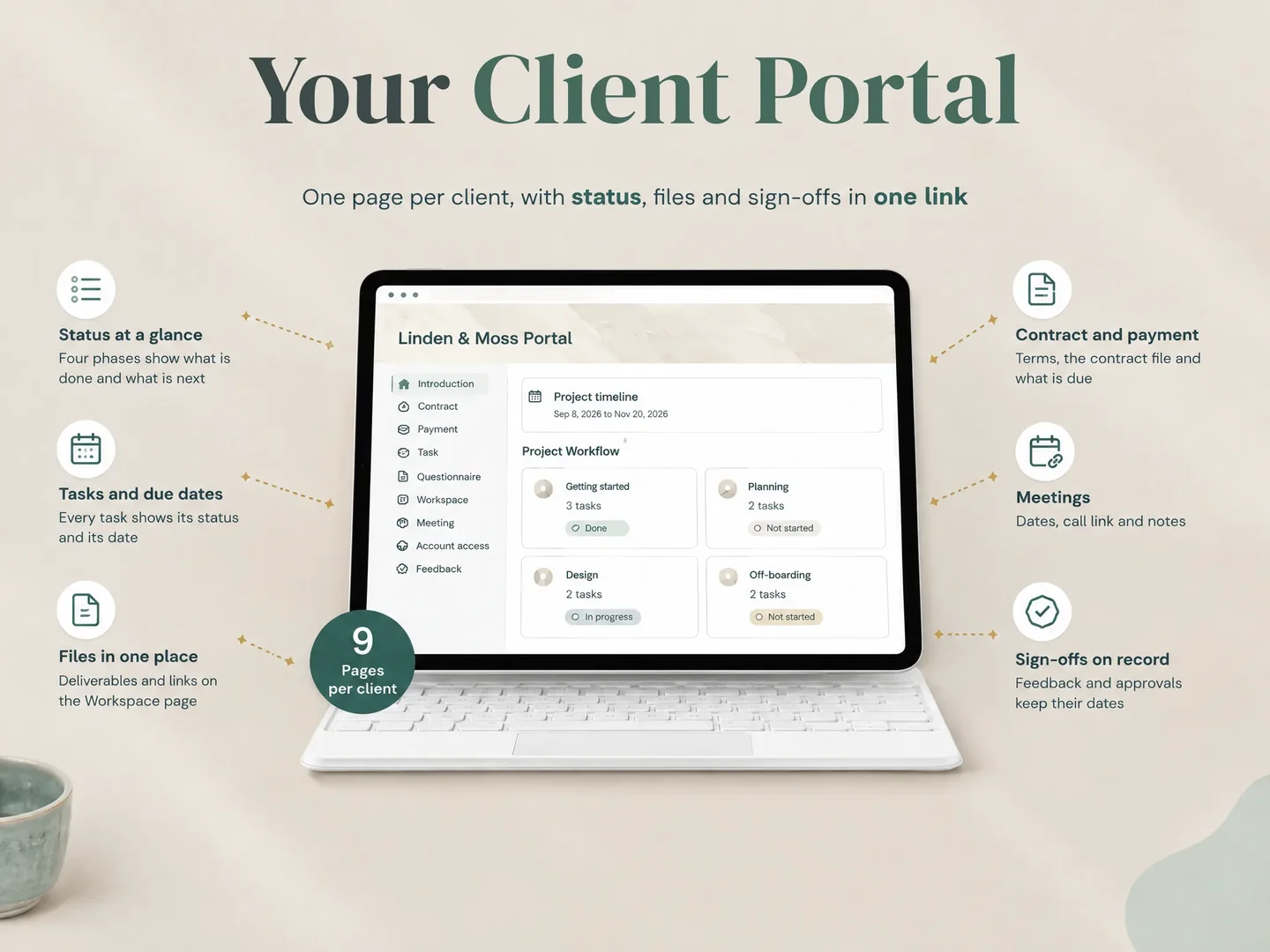
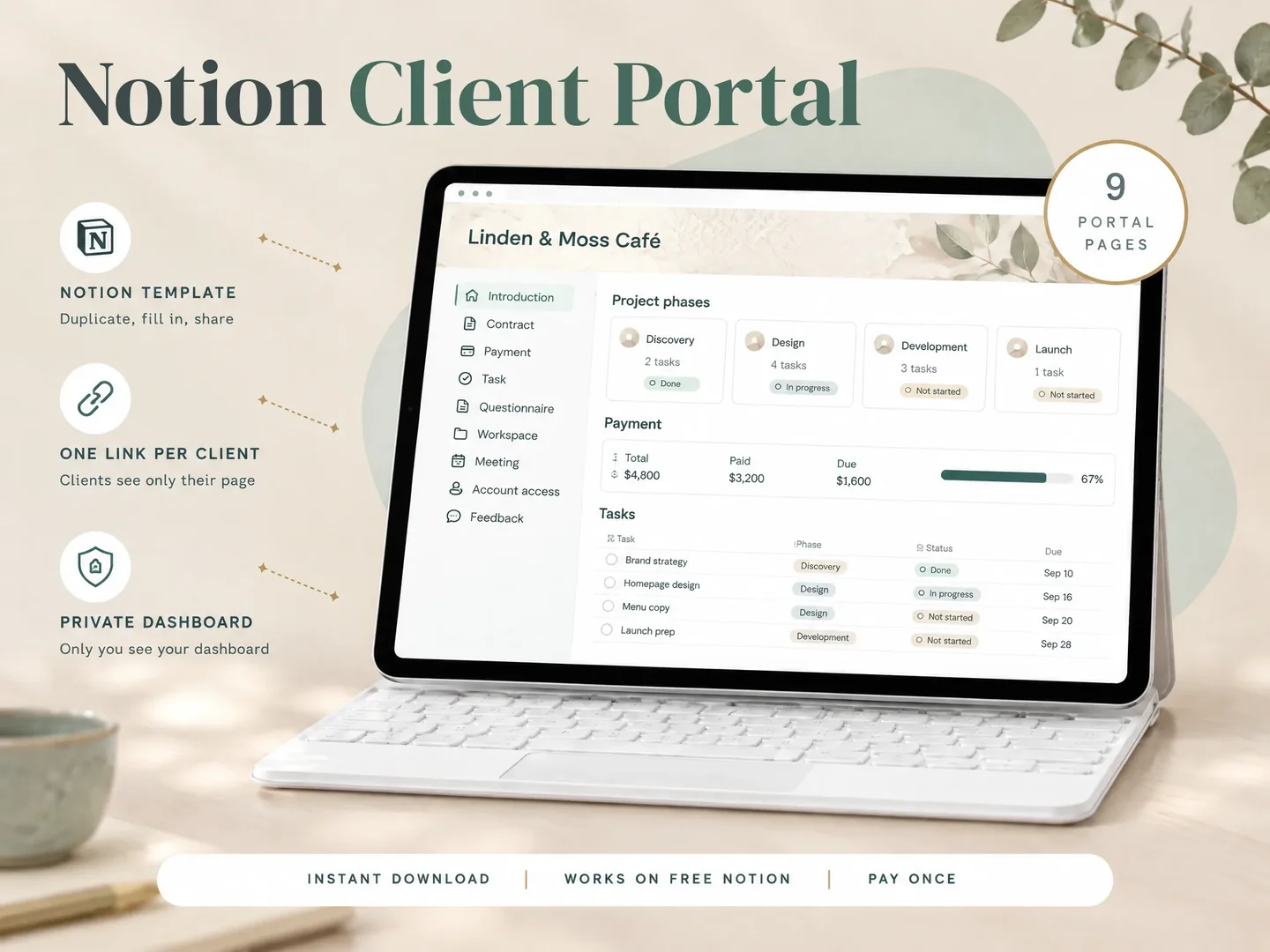
The Notion Client Portal template includes a client portal with pages for Introduction, Contract, Payment, Task, Questionnaire, Workspace, Meeting, Account access and Feedback. A small studio could use those pages to keep project references together. The Task page can show the current deliverable and next step; the Feedback page gives the studio a named place to collect comments.
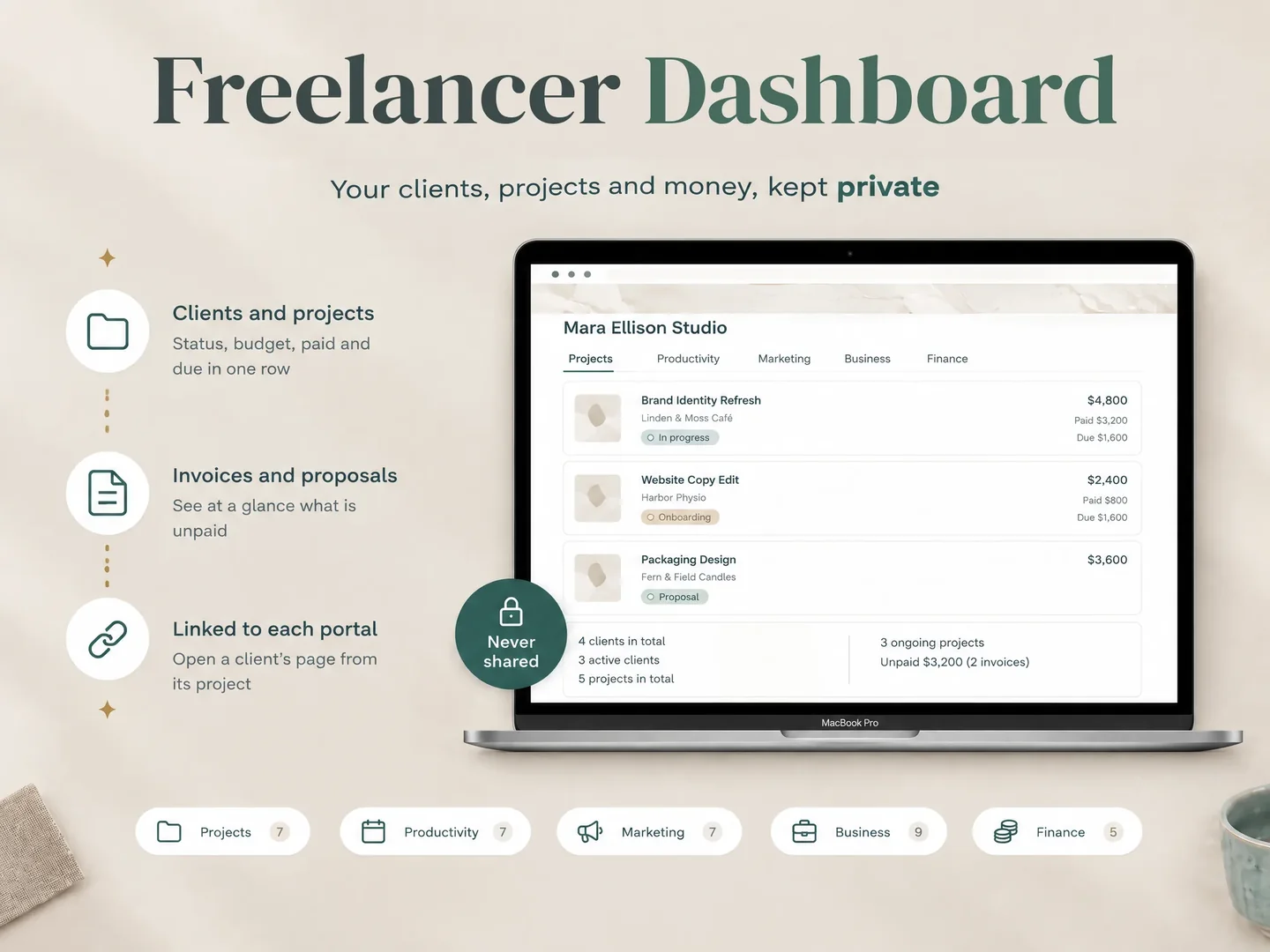
For the studio, a separate dashboard can organise work across clients. Keep that internal dashboard private, and test the client’s access from an account or browser session that does not have the owner’s permissions.
Notion sharing settings determine what a guest can see or change. Do not assume that placing information on a separate page automatically isolates it from every shared parent or database. Review Notion’s sharing and permission guidance, then check each client’s access before sending a link. For confidential material, choose named access and test the permissions rather than relying on a public link.
A short switching checklist prevents a long cleanup
Before moving active clients, make a one-page inventory. Include:
- Client records: contact details, project history and any fields you need to keep.
- Forms and questionnaires: the questions you send, where responses land and who can see them.
- Agreements and signatures: the document, signing process and completed records.
- Invoices and payments: outstanding balances, recurring schedules and payment history.
- Automations: reminders, status changes, email sequences and their triggers.
- Project delivery: tasks, deadlines, files, feedback and final approval.
Then trial one low-risk project. Give the client a clear route to the new page, ask them to find the next action, and compare the result with your old process. Keep both systems available until the required records and actions have moved. If an alternative cannot replace one important step, decide whether to retain Dubsado for that step or choose a tool that covers it.
During that trial, write down where each new item goes. Check whether the client can open the intended page, whether the team can update its status, and how the client sends a response. After that, verify who owns the final files and completed agreements. A two-column list, “old location” and “new location,” can expose a missing handoff before the whole studio moves. When the new route works for one project, repeat the process with the next client type.
Why trust this article
The Cosmo Suite team makes the Notion Client Portal template. This comparison uses the vendors’ current public feature and pricing pages, checked on 22 October 2026, plus the template’s approved contents list. The template information describes page organisation only; it does not imply payment processing, electronic signatures, notifications or automated workflows. Read the site’s about page and editorial policy for more about the publisher and review process.
When a Notion client portal template fits
The Notion Client Portal template may fit a small studio that wants to arrange client-facing project information in Notion and is comfortable handling billing and signatures elsewhere. It includes five business hubs, the nine-page client portal, per-project portals and dated planners for 2026 and 2027. It works with Notion’s free plan, according to the approved product contents. For a basic setup walkthrough, see the earlier guide to building a Notion client portal.
The combined version is view-only for sharing. The standalone portal is the shareable option. Either way, set permissions intentionally and check what the client can access. The template does not process payments, create e-signatures or run automations. If those jobs are the reason you are leaving Dubsado, choose a service built to handle them.
If the main problem is finding one current place for project status, files and feedback, compare the template’s client portal pages with the needs of one real project first. Keep the decision tied to what your client must do, not to a longer feature list.
Choose by required actions, then test one project
Dubsado alternatives suit different workflows. HoneyBook and Bonsai cover more client-business steps; ClickUp focuses on team project work; a Notion template can organise a client-facing project reference. List the actions that must stay connected, check each option’s current plan, and test guest access before migrating active work. A deliberate small trial is easier to correct than a rushed move across every client.
Frequently asked questions
What is the best alternative to Dubsado?
It depends on which Dubsado jobs you need. HoneyBook and Bonsai cover more of the client business workflow, ClickUp centres team project management, and a Notion client portal template is for organising client-facing project information. Compare the actions you need before switching.
Is Notion a replacement for Dubsado?
Not for the full client workflow. A Notion template can organise project pages, tasks, feedback and reference information. It does not process payments, create e-signatures, automate client workflows or send notifications.
Is Dubsado worth it for a small business?
Dubsado can fit a small service business that needs a client portal alongside forms, invoicing, proposals or workflows. Check which plan includes the features you use and whether you will maintain the setup.
Can ClickUp replace Dubsado?
ClickUp can suit teams that mainly need internal task tracking and controlled guest access. Its guest permission and seat rules differ by plan. It is not a direct replacement for Dubsado's proposals, contracts and billing workflow.
What should I check before leaving Dubsado?
List the steps you rely on, including forms, contract signatures, payment collection, reminders, scheduling, client files and active automations. Map each step to its replacement and test one client workflow before moving everyone.
Sources
Keep reading

Client Portal
How to Share a Notion Page Without a Client Account
Share a Notion page without a client account by using a public view-only link. Learn when to invite a guest instead and what to check before you send it.
· 8 min read
Client Portal
Client Portal Template: What to Include Before You Share It
Client portal template planning starts with client actions and the pages they need. Choose sections, set access and test a sample project before you share it.
· 8 min read
Client Portal
ClickUp Client Portal vs. Notion: Which Fits Your Client Work?
ClickUp client portal or Notion for client work? Compare shared tasks, guest access, client pages and approval workflows before choosing for your studio.
· 9 min read
