SuiteDash Alternatives: Do You Need Less Software for Client Work?
SuiteDash alternative for studios that want less software: sort its 28 features by job, check plan prices, and see when a Notion client portal is enough.
By Notion Client Portal by Cosmo Suite · Editorial policy · Last updated
Disclosure: we make Notion Client Portal, one of the two products compared here. Facts about SuiteDash come from its public pages, linked with the day we checked them.
The short answer
Keep SuiteDash when you will use its billing, contracts, automations and white label together. Consider a Notion client portal template when clients mainly need status, files, feedback and sign-off notes, and you can keep payments and signatures in tools you already pay for.
Feature comparison
| Feature | Notion Client Portal | SuiteDash | Notes |
|---|---|---|---|
| Client portal with files, tasks and one place to work | Yes | Yessource | SuiteDash lists a Client Portal, File Exchange and Projects & Tasks. The template is a client-facing Notion page set with tasks, files and feedback pages that you share and test. |
| Invoicing, payments and recurring billing | No | Yessource | SuiteDash lists Invoicing & Billing and Recurring Billing. The template has a payment reference page but does not process payments. |
| Contracts with e-signature | No | Yessource | SuiteDash lists Contracts & eSign. The template has a contract reference page but does not collect e-signatures. |
| White label branding on the client side | No | Yessource | SuiteDash lists White Label and an installable branded web app on its Start plan. The template runs inside Notion and gives no branded client login. |
| Automations and client journeys | No | Yessource | SuiteDash lists Automations, and its pricing page lists a Complete Automation Toolkit on Pinnacle. The template adds no automations or notifications. |
Pricing
| Product | Price | Checked |
|---|---|---|
| Notion Client Portal | $9 one-time payment | Our current price |
| SuiteDash | Start $19/month or $180/year; Thrive $49/month or $480/year; Pinnacle $99/month or $960/yearPrices checked 2026-11-23. SuiteDash lists unlimited clients and staff on every plan and a 30-day free trial. Confirm plan contents and any add-ons on the current pricing page. | As of · source |
Prices change. SuiteDash's price is as listed on its own pricing page on the day shown; check it there before you buy.
Who should pick which
Pick Notion Client Portal if
- Clients mostly need one link with status, tasks, files, feedback and sign-off notes, and you already invoice and sign in other tools.
- You use Notion daily and can check guest access, public-link settings and nested pages before you share with each client.
Pick SuiteDash if
- You want CRM, billing, contracts, scheduling and a white-label portal inside one subscription, with unlimited clients and staff.
- You will use automations, proposals or the learning tools, so a bigger platform earns its setup time.
Where SuiteDash is strong
- SuiteDash lists unlimited clients and staff on every plan, with plans priced per month, not per user, and a 30-day free trial.
- Its Start plan already lists unlimited portals, white labeling and an installable branded web app, so branding does not need a top tier.
- Its home page lists 28 features, from CRM and billing to contracts, scheduling and community spaces, in one account.
Illustrative client message: "I got three emails about the logo files and a link to an invoice. Which one is the real next step?"
When a message like that lands, the studio usually has plenty of software and too little clarity. SuiteDash is built for the first problem: it puts a CRM, billing, contracts and a client portal in one account. The reader of this page often has the second problem, so the question is not which suite is cheaper. It is how much of a suite your client work needs.
Here, SuiteDash means the all-in-one business platform at suitedash.com. A client portal is the place a client opens to see project information and next steps. A Notion template is a set of pages you duplicate into your own workspace, so it follows Notion's sharing rules, not a vendor's login.
In Brief
- Keep SuiteDash when you will use its billing, contracts, automations and white label together. It lists unlimited clients and staff on every plan.
- Look at a lighter route when clients mainly open one page for status, files, feedback and sign-off, and you already invoice and sign elsewhere.
- A Notion client portal template covers that page. It does not process money, sign contracts or automate follow-ups.
- Before you cancel anything, test the access. Notion guests need accounts, and a public link is not private to one client.
SuiteDash Alternatives Side by Side
The table compares the routes by what the client can do, not by feature count. SuiteDash figures were checked on November 23, 2026 and can change.
| Route | What the client can do | Price context | Best for |
|---|---|---|---|
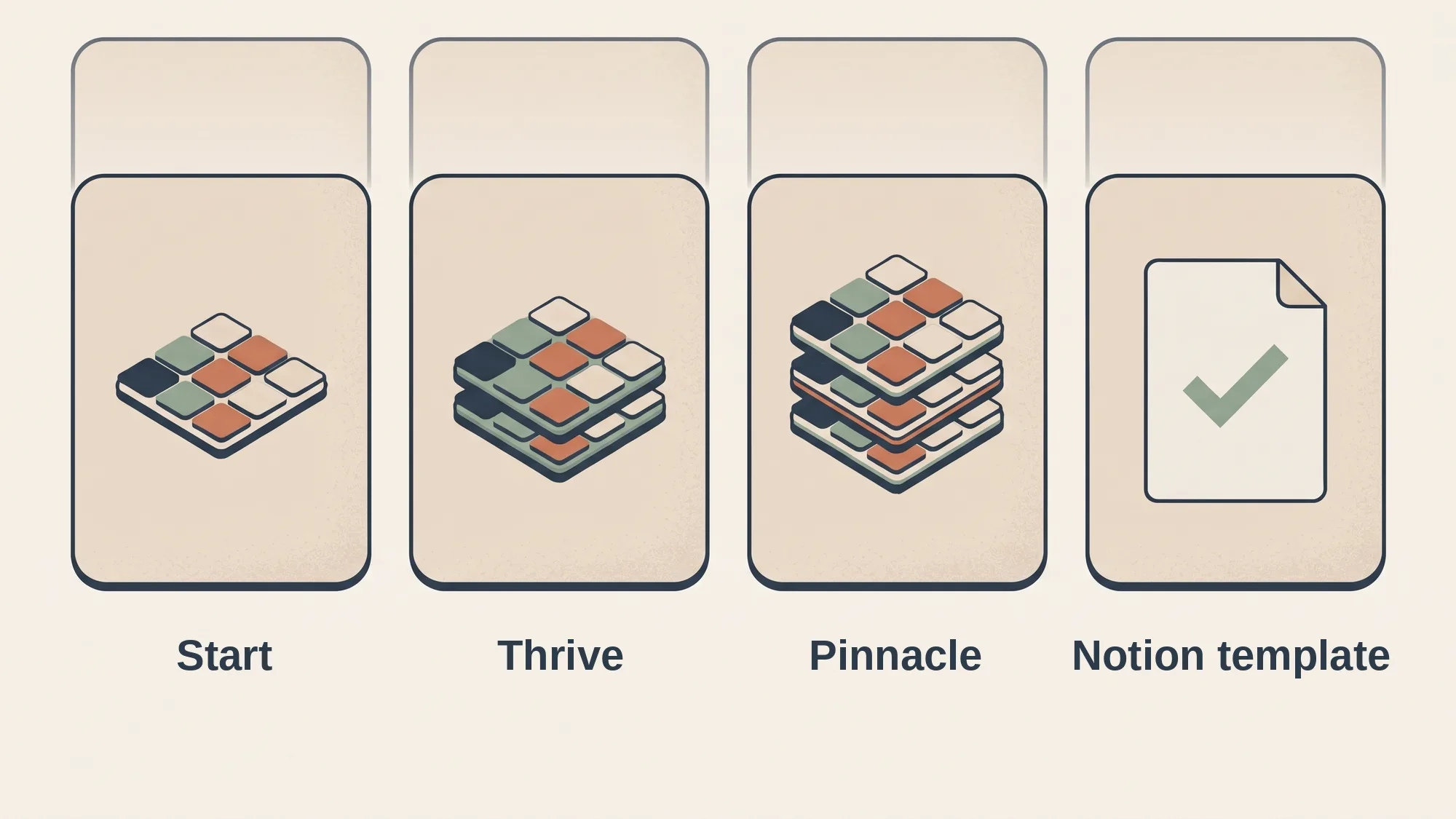
| SuiteDash Start | Use a portal with white labeling and 100 GB of file storage | $19 per month or $180 per year | Studios that want a branded portal and one CRM |
| SuiteDash Thrive | Add proposals, pipelines and client-side chat | $49 per month or $480 per year | Studios that sell through proposals and deal stages |
| SuiteDash Pinnacle | Add automation, onboarding flows, support tickets and learning tools | $99 per month or $960 per year | Teams that want the full platform in one account |
| Notion portal template | Read one page of status, tasks, files and feedback | A one-time template; Notion plan and sharing rules still apply | Studios that need the page and keep money elsewhere |
SuiteDash's pricing page lists every plan as unlimited clients and staff, and says the price is per month or year, not per user. Billing yearly lowers the cost: the page shows savings of $48 on Start, $108 on Thrive and $228 on Pinnacle. It also offers a 30-day free trial. If you pay for a full suite today, the real saving from a lighter route is not the plan price. It is the number of modules you stop learning, configuring and explaining to clients.
Sort the 28 features by the job they do
SuiteDash's home page lists 28 features in a numbered tour. A long list looks like value, yet you only spend setup time on the features you switch on. Sorting them by job shows how much of the list touches a client's weekly view of your work.
We grouped the 28 named features into five jobs. The grouping is ours, not SuiteDash's, and it is a thinking tool, not a score.
| Job | SuiteDash features in the group | Count |
|---|---|---|
| Win the work | Deals & Pipelines, Dynamic Sales Rooms, Proposals, Scheduling, Group Meetings, Email Marketing | 6 |
| Get signed and paid | Contracts & eSign, Invoicing & Billing, Recurring Billing, Time Tracking, Expense Tracking, Reporting | 6 |
| Run the project the client sees | Client Portal, White Label, Dashboards & Portal Pages, Projects & Tasks, Work Requests, File Exchange, Secure Messaging, Client Onboarding, Forms | 9 |
| Run the business behind it | CRM, Automations, A.I. Agents & Skills, Support Tickets | 4 |
| Teach and host a community | LMS Learning, Quizzes & Surveys, Community | 3 |
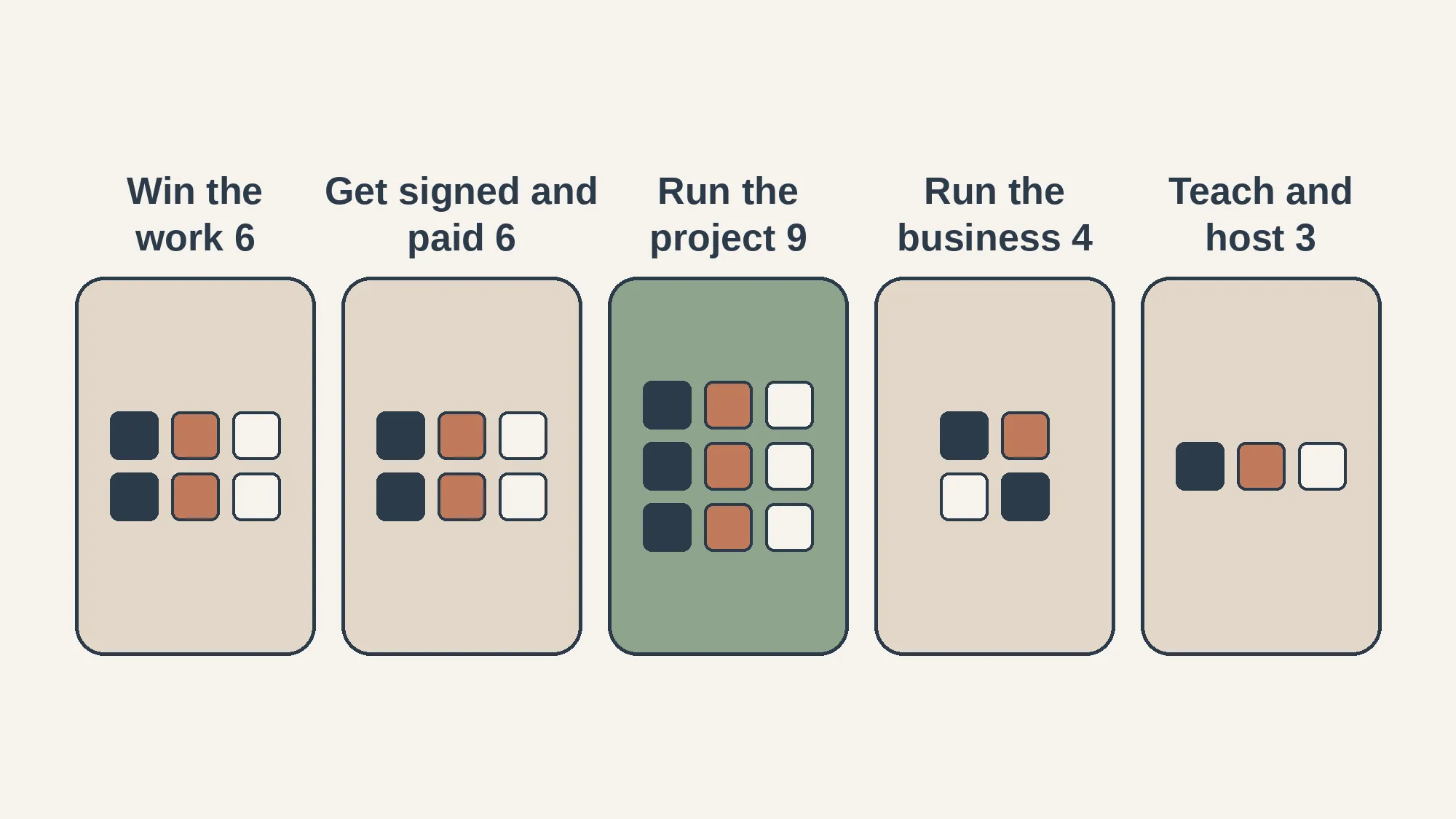
Take an illustrative three-person brand studio. It sends a questionnaire, holds a kickoff call, shares drafts, collects feedback and asks for a final sign-off. Read the table row by row and tick what the studio really uses today. Most studios of that shape tick the project row first. They may also tick signing and paying, because those jobs need a service built for them. The last two rows are often empty.
That tally is the useful number. If you tick one row, a lighter tool can carry it. If you tick four, the suite is doing real work for you and a move would cost more than it saves. Count your own ticks before you read any "best alternatives" list, because those lists compare suites against suites.
Price the modules you will not use
Plan prices make the same point in money. Taking the figures on SuiteDash's pricing page, the yearly prices work out to $15 a month on Start ($180 divided by 12), $40 on Thrive ($480) and $80 on Pinnacle ($960). The monthly price of Pinnacle is $99, so paying yearly is the cheaper way to hold it.
For example, say the studio above ticks only the project row. If it sits on Pinnacle at $960 a year, it pays $780 more each year than the $180 Start plan, for features such as the automation toolkit, onboarding tools and support tickets that the tally says it does not use. That gap is the figure to weigh against the cost of a lighter route, not the headline price.
The reverse also holds. If the studio ticks the signing and paying rows and the sales row, the right plan may be Thrive or Pinnacle, and a Notion page would only add one more tool. The point of the exercise is to match the plan to the ticks, whichever way it falls.
What the Client Sees
Clients never see your plan tier. They see one page, and they judge whether the next step is clear.
In a suite, that page is a portal with your branding, a login and the modules you enabled. In a Notion template, it is one shared page with the same core items: where the project stands, what is due, where the files are, where to leave feedback and where to sign off. The client gets fewer features, and one fewer thing to learn.
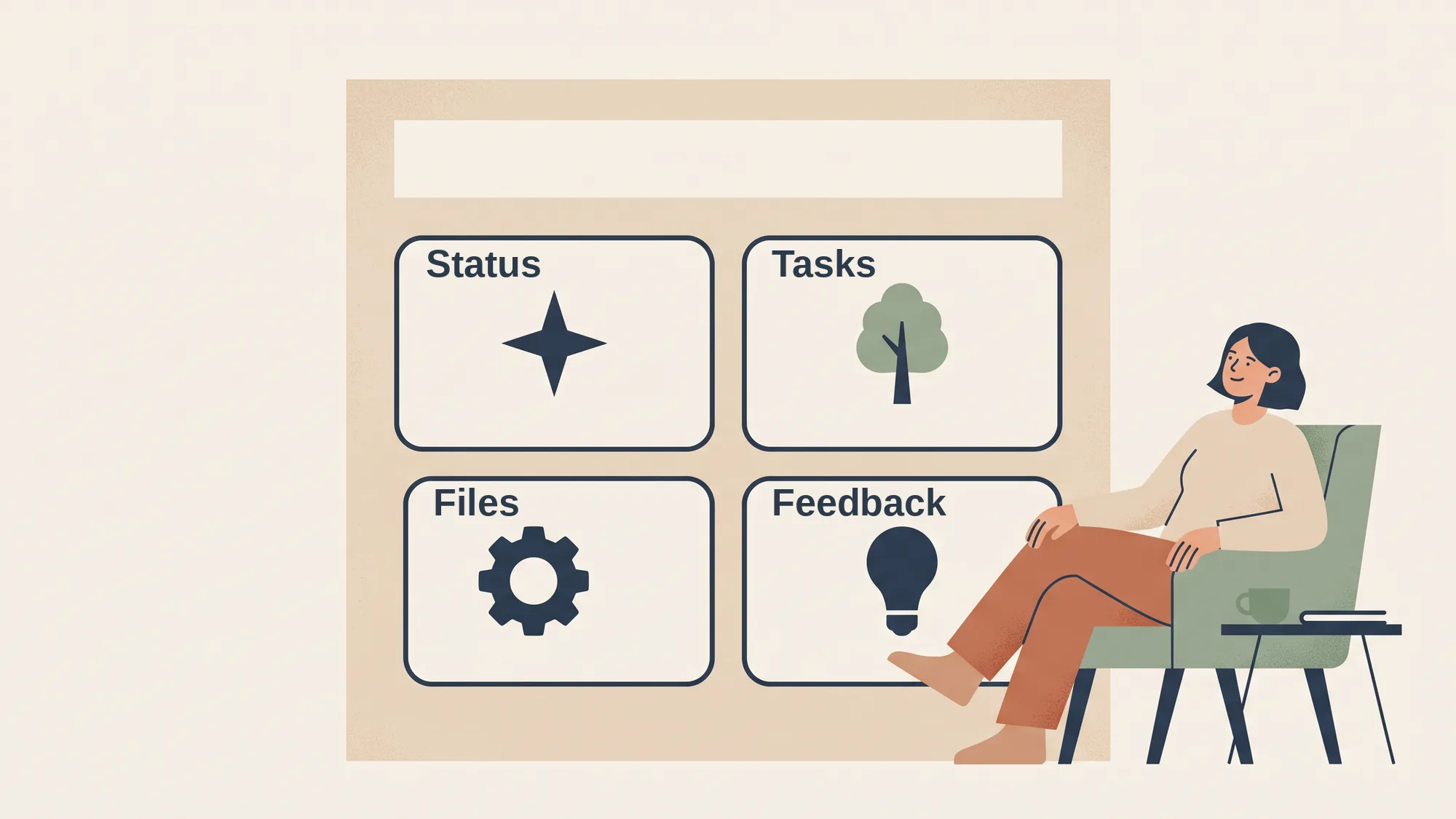
Three access facts matter before you send a link. Notion says anyone with the web link to a page can view it without being a Notion user, while an invited guest needs their own account, and editing or commenting needs a login. A public link is also not private to one client. Notion's web publishing page adds that a published site shows its subpages by default, so check each nested page. Notion's pricing page also lists an external guest limit, so compare it with your client count before you rely on invited guests. This guide to Notion client portal permissions and limits walks through what to test, and the Notion sharing page is the source for the rules.
When SuiteDash is the right pick
Stay with SuiteDash, or choose it, when three things are true. You want billing, contracts and the client page in the same account. You work with many clients or a staff group, and you want unlimited clients and staff without a per-seat price. You will use at least one part of the automation or onboarding tools.
Its Start plan already lists unlimited portals, white labeling and an installable branded web app, so a branded client login does not need the top plan. Pinnacle lists a Complete Automation Toolkit, onboarding tools, learning tools and support tickets. If you rely on those, a Notion page cannot replace them. In that case keep the suite and spend the setup time once.
If you are comparing suites with each other, our posts on Plutio alternatives and on client portal software for a small business cover the other paid options by client workflow.
What you give up by going lighter
A lighter route has a cost too, so name it before you move.
Money and signatures. A Notion page can hold the invoice link and the contract text. It cannot take the payment or collect the signature. Those stay in your payment tool and your signing tool.
Reminders. A suite can nudge a client. A page does not send notifications, so someone on your team has to send the Friday update.
Branding. A suite can put your name on the whole client experience. A Notion page shows Notion's interface around your content.
Records. In a suite, the vendor holds the client record. In Notion, you own the pages, and you also own keeping them current. A stale page is worse than no page.
Write down which of these four you would miss in the first month. If the answer is "payments" or "reminders", the lighter route needs a partner tool, and the saving shrinks.
Use the 30-day trial to test a page against it
SuiteDash lists a 30-day free trial and, on its pricing page, says the trial starts on the Pinnacle plan. That gives you a fair way to decide with evidence instead of a feature list.
Build the same small project in both places for one real client. In SuiteDash, set up only the modules you ticked. In Notion, duplicate the portal pages and fill them in. Then ask the client one question at the end: "Where would you look to see the next step?" If both answers are "the link you sent", the lighter page is enough for that client. If the client needs to pay or sign inside the same link, the suite has earned its place.
The test is cheap: neither side needs a purchase to run it.
Why Trust This Article
The Cosmo Suite team makes the Notion Client Portal template, so we have a stake in this comparison. We read the official SuiteDash pricing and home pages and the Notion help pages on November 23, 2026, and we recorded each price and feature name as published. We did not run a paid SuiteDash plan, so every claim about it comes from its own pages. Plans change, so check the vendor's page before you decide. The template is a Notion page structure, not client-management software. Read about us and our editorial policy for how we review product information, or contact the team with a correction.
Where Notion Client Portal Fits
The Notion Client Portal template covers the client-facing side of project work. You get a nine-page client portal (Introduction, Contract, Payment, Task, Questionnaire, Workspace, Meeting, Account access and Feedback) to duplicate per client. A freelancer dashboard with five areas and planners dated 2026 and 2027 sit beside it. The download adds the portal as a standalone template, a setup guide page and a sample client.
Choose it when one link of status, tasks, files, feedback and sign-off notes answers most client questions, and you are comfortable managing Notion permissions. It works on the free Notion plan. Payments, e-signatures, automations, notifications and branded logins are not part of it, so they stay in the services you already use.
One sharing limit matters. The combined version shares view-only because of a Notion database limit, and the standalone portal is the version to share. You can look at the template's client portal pages and, if you want to see how the sections are arranged first, the client portal template guide.
Which route matches your next client
Ask one question: what must the client do inside the link? If the answer is read, find a file and give feedback, a Notion client portal template is the lighter route, and it leaves your tool bill alone. If the answer is pay, sign and be reminded, a suite like SuiteDash is built for it, and its own plan pages are the right place to price it.
Frequently asked questions
What is the best alternative to SuiteDash?
It depends on which parts of SuiteDash you use. If you use billing, contracts and automations every week, another suite may fit. If clients only need status, files and sign-off notes, a lighter page can be enough. Sort the features you use before you compare prices.
Is there a free SuiteDash alternative?
A Notion page can be shared with a client at no extra software cost, subject to Notion's current plan and sharing rules. That is not a free copy of SuiteDash: it has no billing, e-signatures, automations or branded login. Check Notion's current limits before relying on it.
How much does SuiteDash cost?
On the pricing page checked on November 23, 2026, SuiteDash lists Start at $19 per month or $180 per year, Thrive at $49 or $480, and Pinnacle at $99 or $960. It lists unlimited clients and staff on every plan. Confirm current terms and add-ons on its page.
Does a Notion client portal replace SuiteDash?
Not fully. A Notion portal can organize client-facing status, tasks, files, questionnaire answers and feedback. It does not process payments, collect e-signatures, run automations, send notifications or give the client a branded login. Keep those jobs in tools built for them.
Can clients open a Notion portal without a Notion account?
Notion says anyone with a page's web link can view it without being a Notion user, while an invited guest needs their own account. Commenting or editing needs a login. A shared link is not private to one client, so test nested pages and the exact link first.
