Client Approval Process: A Clear Scope Change Workflow
Client approval process and scope creep: separate feedback from new work, assess the impact, get a clear decision, and keep an approval record.
By Notion Client Portal by Cosmo Suite · Editorial policy
Published · 8 min read

An illustrative client message: “Could we add a second landing page while you are revising this one?” The first page is already in review, and the original agreement covers one.
Compare the request with the agreed work, explain any effect on time or cost, and get the client's choice before changing the plan. Calling it “scope creep” does little to settle the decision. A written client approval process and scope change path makes that conversation easier to follow later.
In Brief
- Attach each approval to a named deliverable and version.
- Treat added work as a request to assess, price or schedule, then approve.
- Record who decided, what they decided and what happens next.
An Approval Process Needs One Decision Owner and One Record
Client approval means the named decision maker accepts a specific version for a stated purpose. Record the person's name, the deliverable and its version; “Looks good” alone leaves the object of approval unclear.
Before the first review, agree on four basics: who gives final approval, where feedback goes, what counts as an approval, and how the client should request a change. Keep the process proportionate to the project. A small studio can keep this to one page and a short message.
For each review, identify the deliverable, its version, the decision requested and the response date if one was agreed. When the client approves it, record the approver, date and next action in the project record. If the decision came in email or a call, summarize it in the agreed place and link back to the source when context matters.
A client portal template with Feedback and Task pages can give the decision and next action a consistent place. Keep the client's approval attached to the work it covers.
The Project Management Institute describes an approved scope as a basis for later decisions and scope changes. It also recommends identifying and communicating a proposed change before approval, then authorizing work after approval. For a client studio, that can be a short written record that keeps the request and the decision together. PMI's scope management guide explains why an agreed baseline helps teams assess changes.
 {width=720}
If the decision affects money, legal terms or a relationship concern, use direct contact as well as the project record. A page can preserve the outcome. It cannot replace the conversation or your contract.
Client Approval Process and Scope Change Side by Side
The right route depends on whether the client is reviewing agreed work or asking you to change it.
| Situation | Next step | Record to keep |
|---|---|---|
| Feedback within the agreed deliverable | Apply the agreed revision process | Feedback, version and review date |
| A required item is missing from the draft | Correct it against the original agreement | Requirement and corrected version |
| A new deliverable or channel is requested | Assess the impact and offer options | Change request and client decision |
| A deadline or priority changes | Confirm the schedule effect before updating work | Revised date and who approved it |
| The client accepts final work | Record acceptance and handoff details | Deliverable, version, approver and date |
Scope creep describes work that accumulates beyond the agreed scope without an explicit decision to change it. A polite request can still add work; blunt feedback can still be part of the agreed review. Ask what the request changes before labeling it.
Separate Feedback From Added Work
Compare the request with the agreed deliverables and acceptance criteria before deciding whether it is a revision or a scope change.
Say the agreement covers one landing page with two review rounds. The client asks to adjust a headline in the draft. That sounds like feedback on the existing deliverable. If they ask for a second page with a different audience and call to action, that may be new work. The contract and project context determine the answer, so check them before promising a price or deadline.
Use three questions:
- What did we agree to deliver? Find the relevant line in the proposal, contract or kickoff summary.
- What is different now? Name the new deliverable, requirement, deadline or decision owner.
- What would change if we accept it? Check the cost, schedule, effort, dependencies or work that must move.
Do not use “scope creep” as a label for every late comment. If the client points out a missed requirement, correct the work. If the client changes the goal, explain the choices. If the agreement is unclear, pause the disputed part and clarify it directly before doing more work.
PMI's scope change control guidance recommends defining the starting scope, assessing the impact of a change and securing approval before updating the plan. The useful small-studio version is a clear request, an honest impact note and a recorded choice. Keep the paperwork brief. The client needs to understand the decision, not learn project-management jargon.
Use a Small Request-to-Decision Workflow
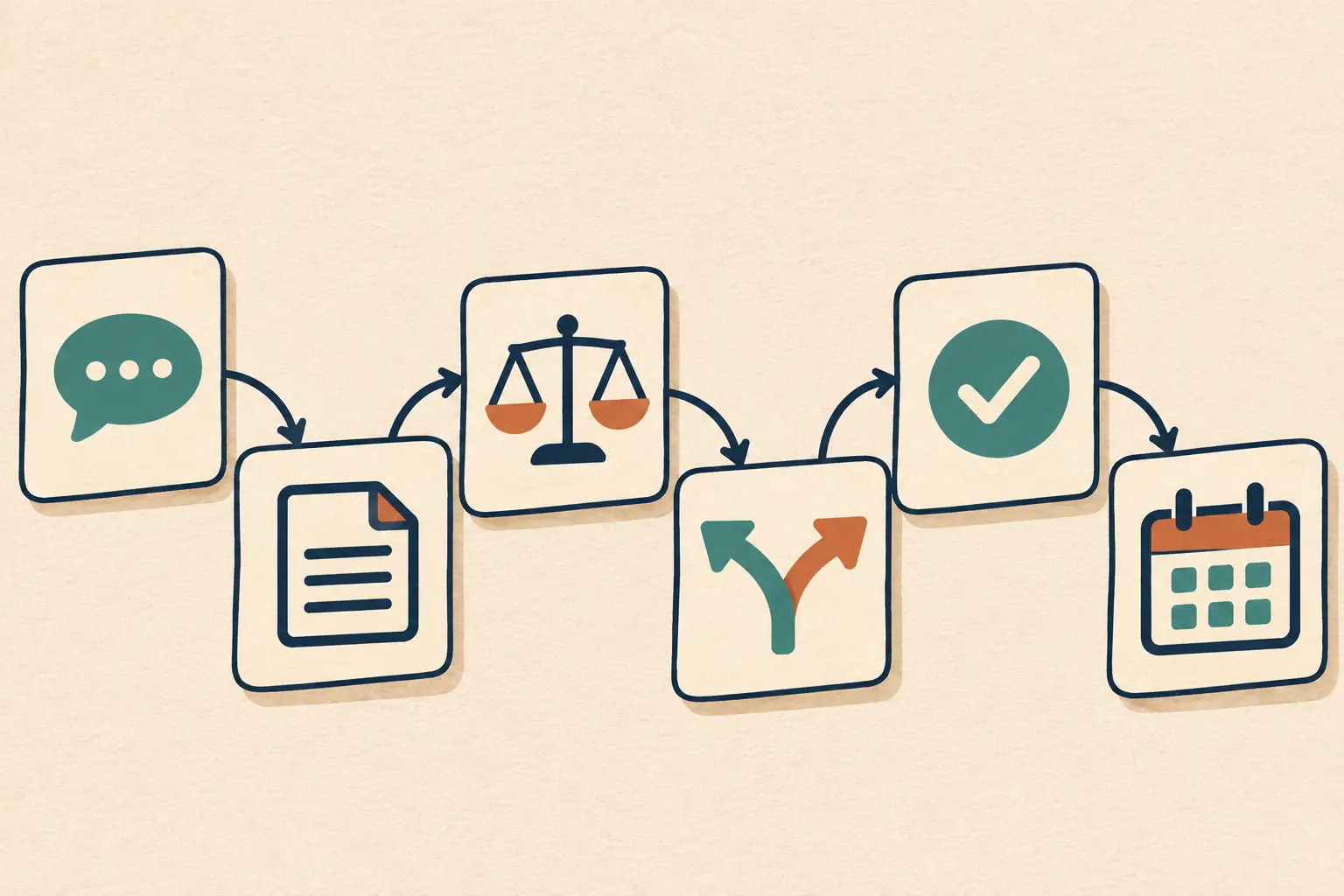
Move each proposed change through a short sequence: capture it, compare it with the agreement, assess the effect, present options, wait for approval and update the plan.
- Capture the request. Write what the client wants in plain language. Keep the request attached to the related deliverable.
- Compare it with the agreement. Note whether it changes the output, quantity, audience, review rounds, timing or responsibilities.
- Assess the effect. State what you know about the cost and schedule. If you need time to estimate, say that and give a date for the estimate.
- Offer a small set of choices. For example: keep the original scope; add the requested work with a revised fee or date; or replace another item with the new request.
- Wait for the authorized decision. Do not treat silence, a reaction emoji or an internal discussion as approval unless your agreement says that is how approval works.
- Update the project record. Record the choice and revise the plan, timeline or task list before starting the changed work.
Reserve the approval path for requests that change the deliverable, fee, timeline or decision owner. Handle an agreed typo fix through the normal revision process.
If a change is declined, acknowledge the choice and continue with the agreed work where possible. If it is approved, make the updated scope easy to find. The record should show what changed from the original agreement so no one has to reconstruct the decision from several messages.
 {width=720}
An onboarding questionnaire that names the decision maker and feedback route helps establish this process before the first draft. Ask who can approve, where feedback belongs and what to do when a request changes the agreed work.
If you want a ready-made layout for that client record, Notion Client Portal has a Feedback page for dated sign-offs and requested changes. You still decide how to assess each request and update the plan.
What the Client Sees
The client should see the request, its effect and the choice they need to make, without having to read your internal project notes.
Consider an illustrative three-person brand studio. The client has approved the first concept and now asks for a second version for another audience. The studio checks its agreement, confirms that the second version is new work, and estimates a revised fee and delivery date. The client can then keep the original plan, approve the addition or swap it for another deliverable.
| Change request | Client-facing detail |
|---|---|
| Requested change | Add a second concept for the new audience |
| Original agreement | One concept and two review rounds |
| Effect to confirm | Added fee and revised delivery date |
| Choices | Keep current scope, add the work, or replace an item |
| Decision owner | Named client approver |
| Decision record | Choice, approver, date and next action |
This example is illustrative, not a customer case study. The studio should enter a real amount and date only after it has assessed the request. If the client chooses the addition, update the task and timeline. If they choose the original scope, keep the original plan visible and proceed with the work already agreed.
For a simple approval record, write: “Deliverable: [name and version]. Decision: [approved, changes requested, or not approved]. Approver: [name]. Date: [date]. Next: [owner and action].” For a scope change, record the request and impact separately from the deliverable's approval. That prevents a review comment from being mistaken for agreement to additional work.
 {width=720}
If feedback is scattered across messages, summarize it once in the agreed project record. Keep urgent decisions in direct contact as well as in the project record.
Keep Approval and Access Boundaries Clear
A written project note can help everyone find a decision, but it does not replace a signed contract or an electronic signature service.
Use the process your agreement names for formal acceptance, changes to fees and legal terms. A dated note in a workspace is useful as a working record, but do not describe it as a signature. Keep the final contract in the appropriate place and use the agreed signing service when a signature is required.
If you keep the client record in Notion, check the page's sharing settings before sending it. Notion distinguishes invited guests from public links, and access depends on the page and its permissions. An invited guest needs an account; a public link can be forwarded. Review subpages and linked material too. Do not place private studio notes in a client page just because the top-level page looks separate. Notion's sharing and permissions help describes the current access options.
Keep one page per client and check the client view before sharing. The Notion Client Portal template separates the client-facing portal from the freelancer dashboard, but you still control what you share and must verify access. For the broader setup, start with the guide to a Notion client portal.
Why Trust This Article
Notion Client Portal by Cosmo Suite publishes this guide and sells the template discussed below. Read about the team and the editorial policy for information about the publisher and review process.
The studio scenario and example entries are illustrative, not reports from a real client. The guidance on scope baselines and changes draws on Project Management Institute materials. Notion sharing details were checked against Notion's help page on 4 November 2026. This article does not provide legal advice; use the terms and approval method in your own client agreement.
Where Notion Client Portal Fits
Notion Client Portal provides a template with a Feedback page for dated feedback, requested changes and sign-offs, alongside client pages for tasks, workspace files and project status. It gives a small studio a place to keep the current record. It does not automate approvals or provide e-signatures.
If you want a repeatable client-side page for the decision and next task, start with the Notion Client Portal template. The template also includes a Contract page, but it does not draft or sign an agreement. Keep formal terms in the tools and process you already use.
Before starting changed work, check that the client can see the approved scope, the version it covers and the next action.
Frequently asked questions
What should a client approval process include?
Name the decision owner, identify the deliverable and version, state what the client is approving, record the decision and date, and note the next action. Route changes to deliverables, cost or timing through a separate impact and approval step.
How do I stop scope creep without upsetting a client?
Treat a new request as a decision to discuss, not a confrontation. Compare it with the agreed work, explain its effect on cost or timing if known, and offer clear options. Wait for the client's choice before changing the plan.
What belongs in a scope change request?
Record the requested change, why it is needed, the affected deliverable, the likely cost or schedule impact, the options, who can approve it and the final decision. Keep the form short enough that a client can use it.
Does a Notion approval record count as an e-signature?
No. A dated note can help a team find a project decision, but it is not an electronic signature service or a replacement for contract terms. Use the process agreed for formal acceptance.
Should I start extra work while waiting for approval?
Do not start the changed work until the authorized client contact approves the change and you update the plan. You can continue unaffected work if the agreed project schedule allows it.
